Welcome to Christmas in July @TheCraftyPickle!!!

Hard to believe we are already in mid July! Where has the time gone? Before you know it the holidays will be upon us again so for today and the rest of this month I am going to have christmas themed posts for you all to inspire you to finish up your December Daily (or get started on your 2013 foundation pages), Start making those christmas cards so its not so chaotic come November, and perhaps a few gift ideas as well.

To kick off my Christmas in July I am joining up with a bunch of very talented ladies in a Christmas Blog Hop! If you are following the hop in order you just came fromĀ Margareta‘s blog!

Christmas In July Blog hop @thecraftypickle

Welcome to the Christmas in July Blog Hop, inspiring you to get out your christmas stash and use it before all the new collections are introduced this month at CHA! Join the fun and create something too, use the hashtag #scrapbookchristmas in twitter, facebook or instagram.

Now I have a confession. I started out last December extremely excited about December Daily! I got my album all prepped and ready and I even did pages for the first and the second! Then, I Just got busy and said “oh nooo problem, I will catch up this weekend” well you guessed it I was busy then too. Then I thought well I will just wait until after christmas is over and then knock the whole thing out the last week of December. Yeah…. Didn’t work so well. SO being very excited about all the new christmas product coming out I figured I better get a move on and get 2012 done so I can figure out my 2013 (I may change my format) The pages I am about to show you are Dec. 1 to Dec. 12 which I pretty much completed all yesterday afternoon (Procrastinators unite!) I Plan on showing you 13-25 at the end of this week or beginning of next week. I WILL finish this album!!!

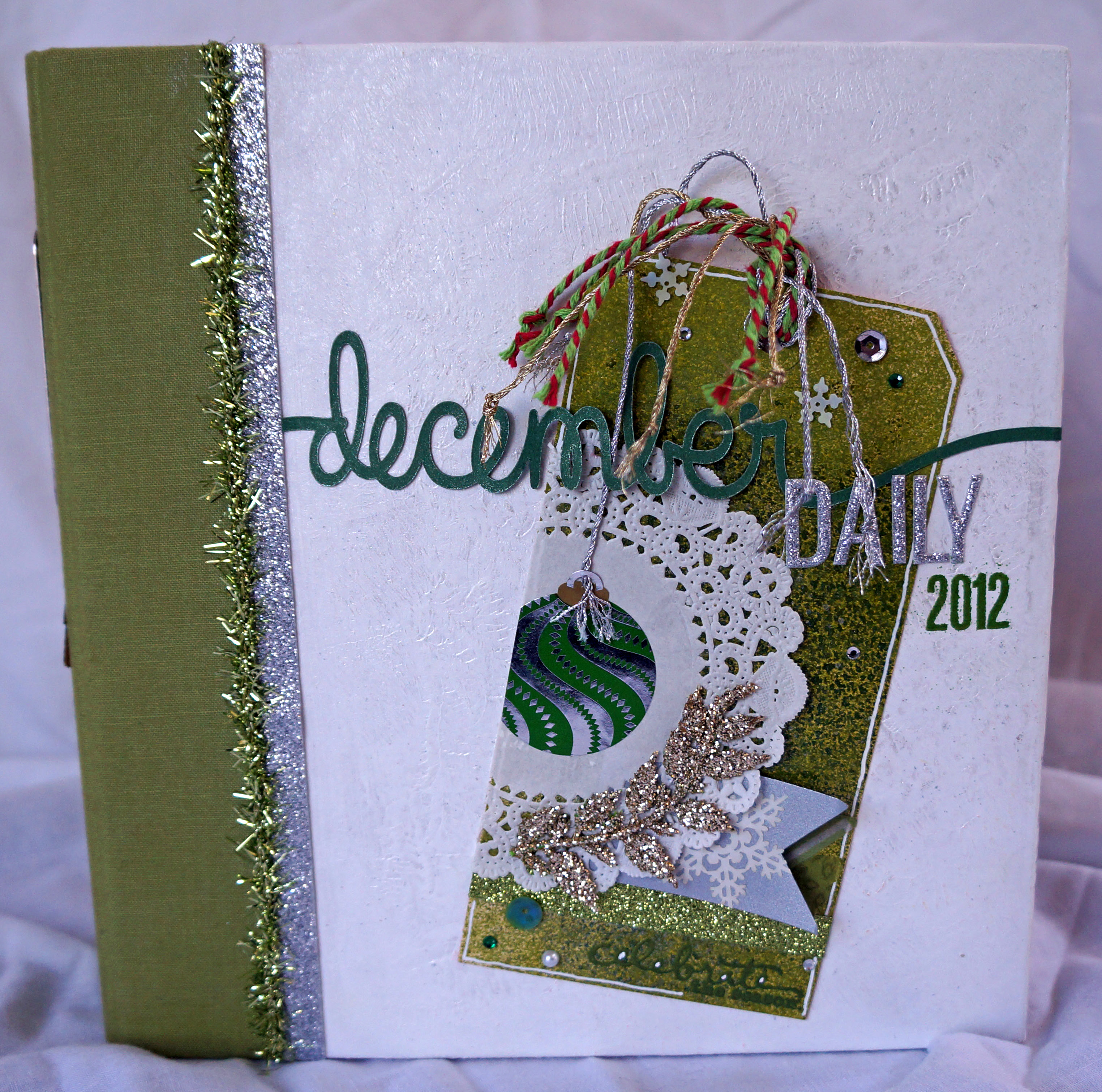
Here is a look at my album cover.
December Daily@thecraftypickle.com

I started with a Simple Stories SN@P album in green. I altered the cover with a few layers of gesso, with the last layer being one to just add some texture. I sprayed with Mister Huey’s Calico Shine on the top and added a embellished tag. The spine has the date and a cute wood veneer tree that I painted with some nail polish.

December Daily@thecraftypickle.com

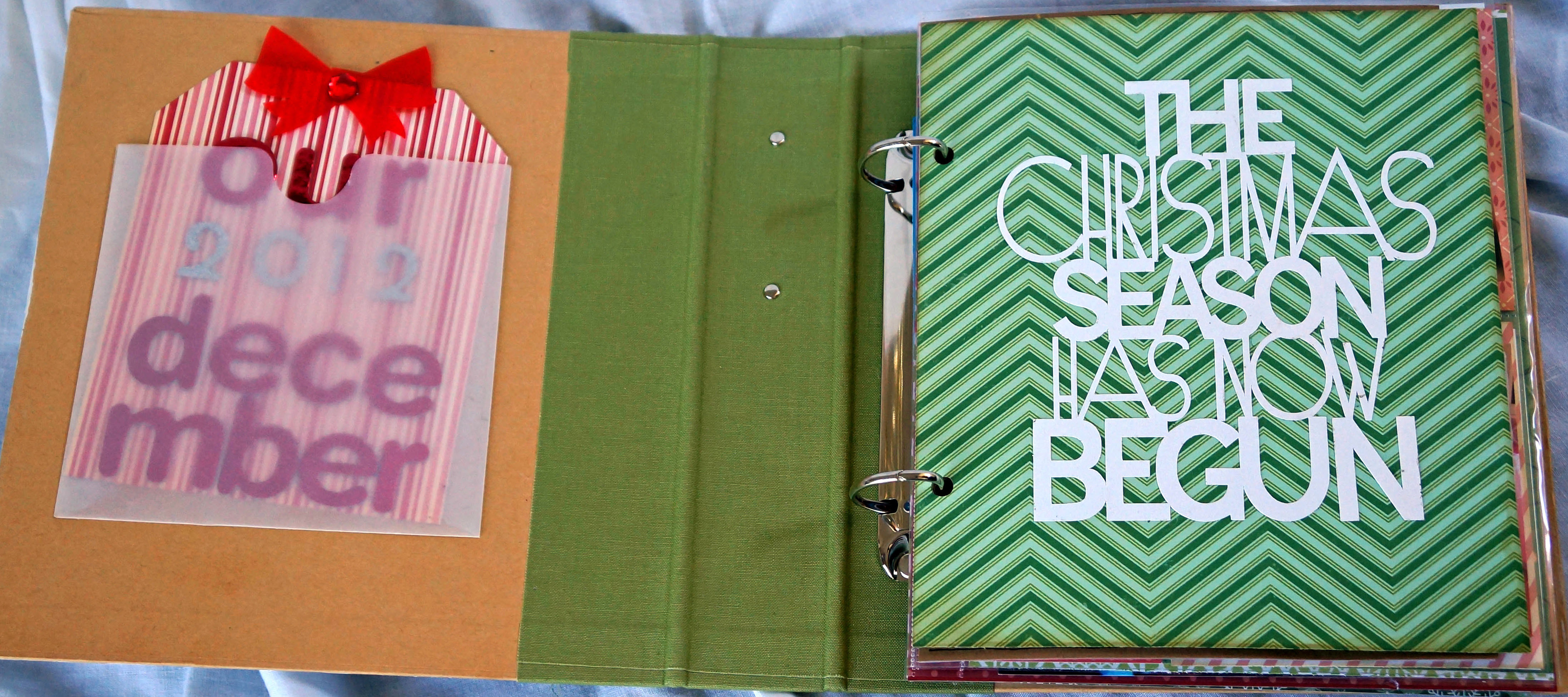
I decided to only paint the front cover. The inside of the cover I attached a glassine envelope and added a little tag. Originally I was going to put a DVD of home movies here. I still might but this fills the spot for now. The die cut on the title page is from Lori Whitlock and paper is from October Afternoon.
December Daily@thecraftypickle.com

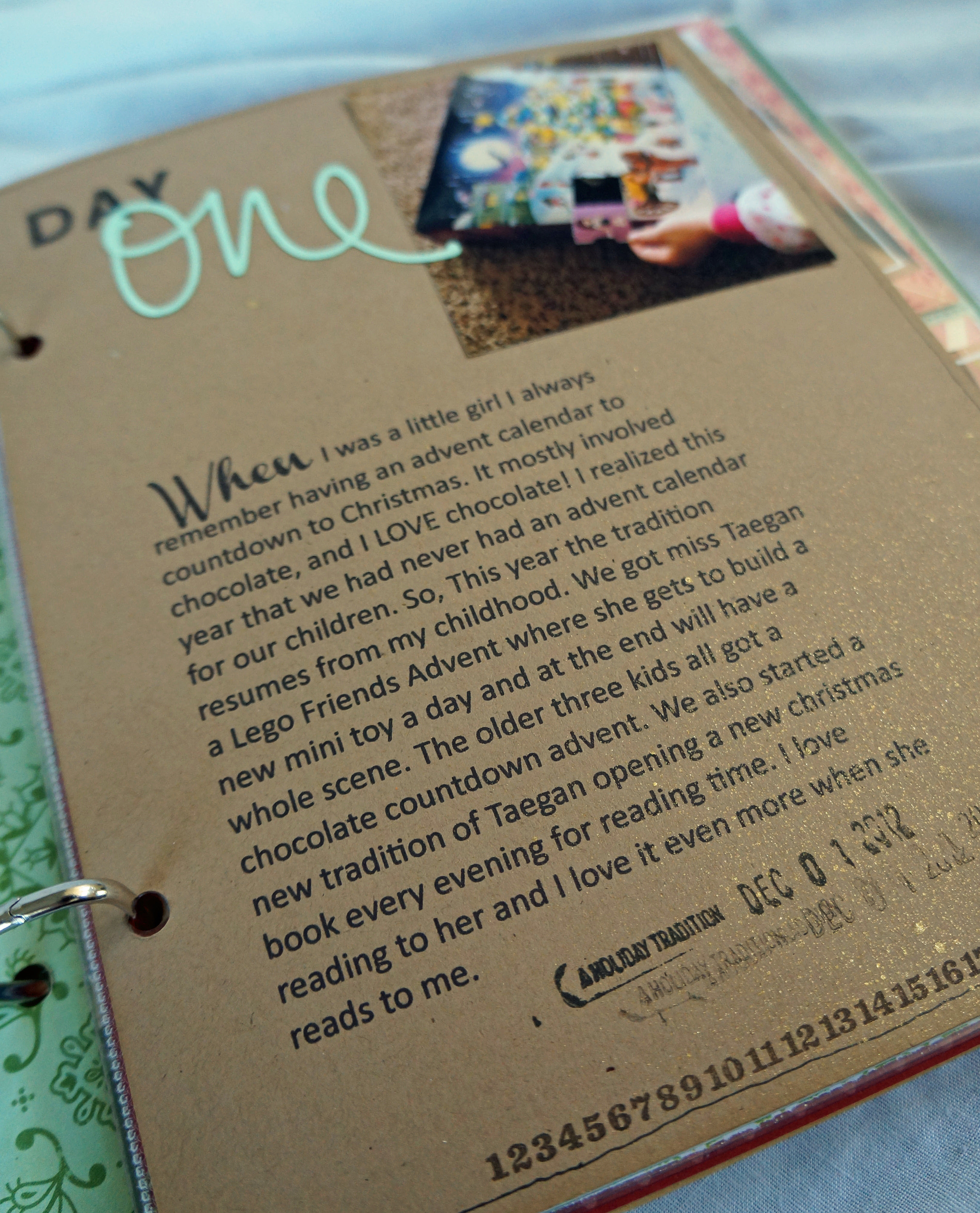
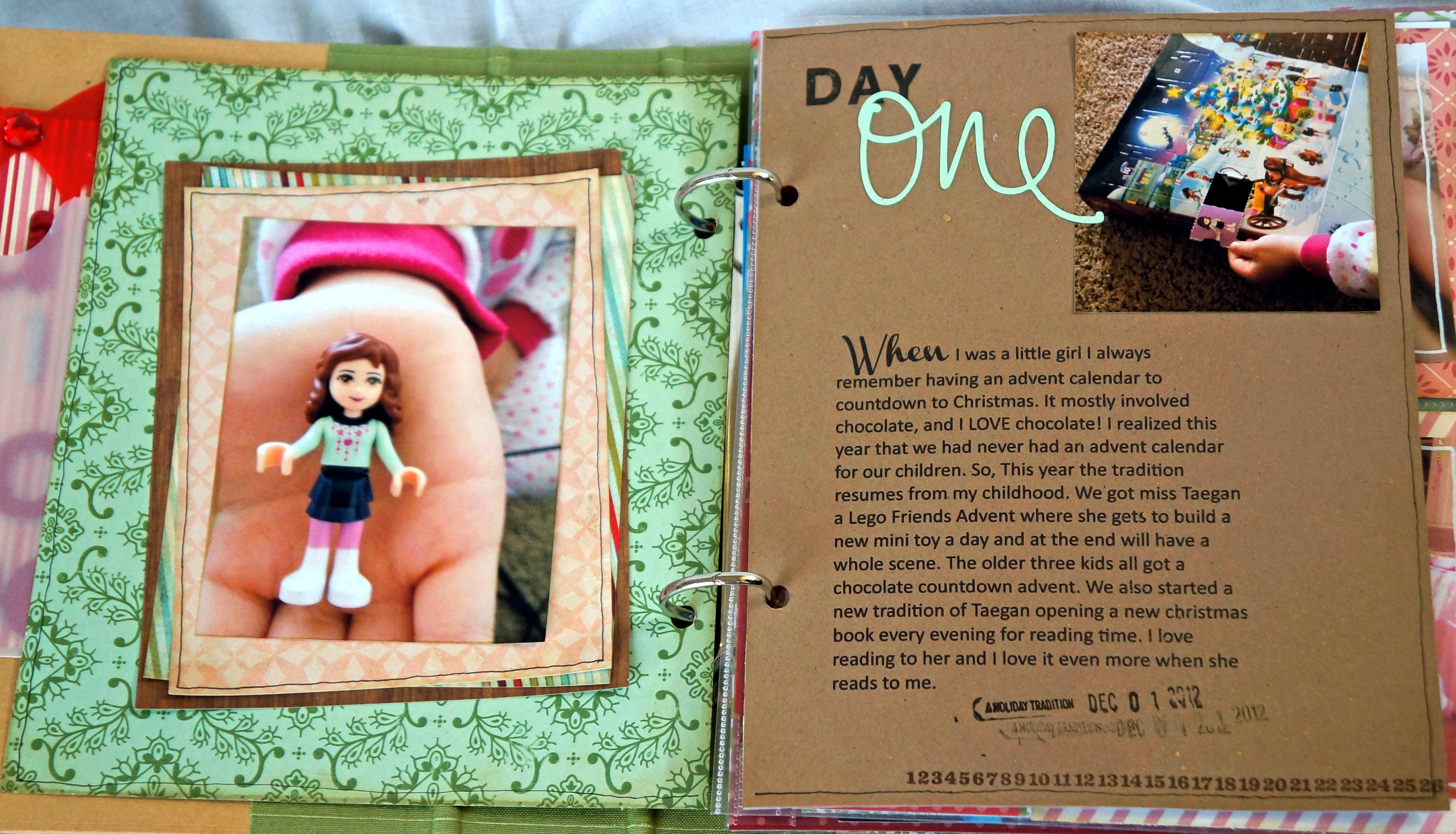
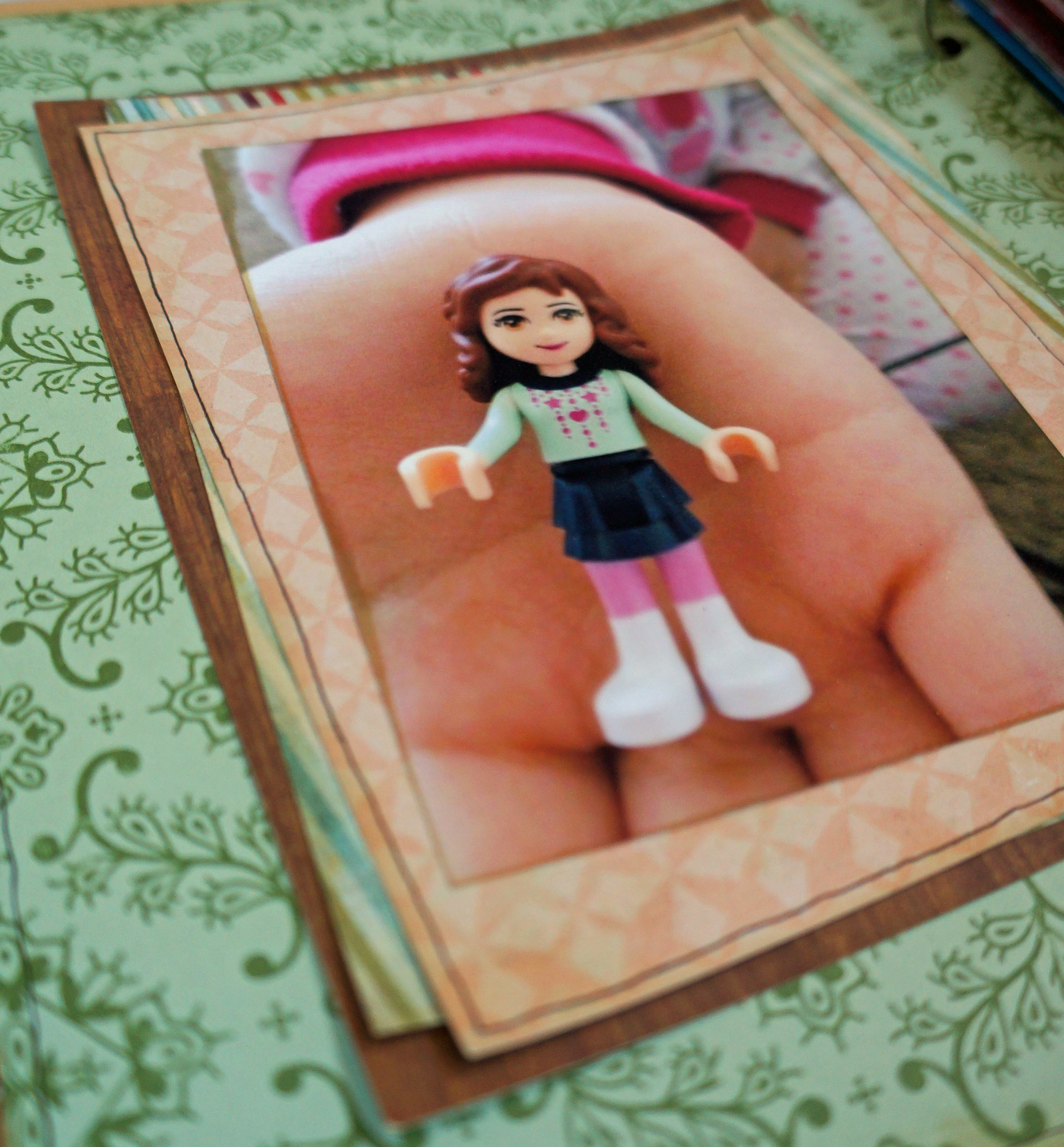
Day one: Lego advent! I loved advent calendars when I was a little girl so I got my own little girl one this year. She LOVED it. I especially love the picture of her holding the little lego doll, a reminder that her hands were this small once.
December Daily@thecraftypickle.comDecember Daily@thecraftypickle.comDecember Daily@thecraftypickle.com

Day number two we celebrated my niece’s 5th birthday. I used October Afternoon’s Cakewalk line in this two page spread. The photo of the two cousins giggling always makes me smile every time I see it.

December Daily@thecraftypickle.com

December Daily @ Thecraftypickle.comDecember Daily @ Thecraftypickle.com

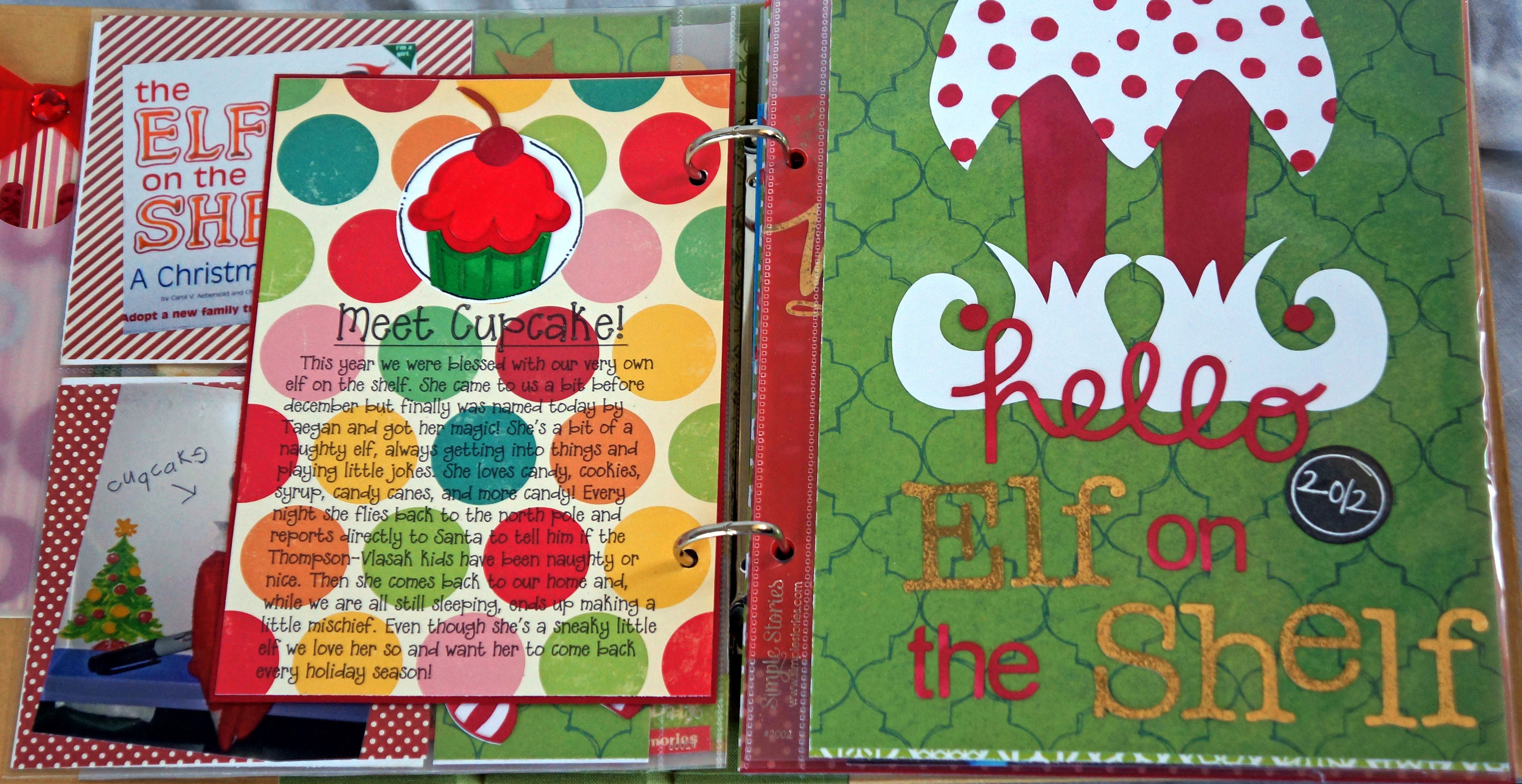
Day number three we finally got around to naming our Elf on the Shelf so she could get her magic! Cupcake it is. We had so much fun for our first year doing Elf on the Shelf!

December Daily @ Thecraftypickle.com

The letters that spell ELF and SHELF were cut out using the silhouette as well as lots of the other die cuts on this page and other pages within the album. What I did differently with these though is that I took a Brilliance Gold mini ink pad and dabbed it all over the letters, I let it dry for a little bit (it stays wet for quite some time) and then I took some gold ZING embossing powder and sprinkled it on the letters lightly. I Heat embossed the letters and it gave it some added metallic shine and texture that I loved. You will see I repeated the technique a lot in my album because I loved the effect. In the photo it looks a little dull but in person its very shiney.
December Daily @ Thecraftypickle.com

December Daily-1-23December Daily @ Thecraftypickle.com

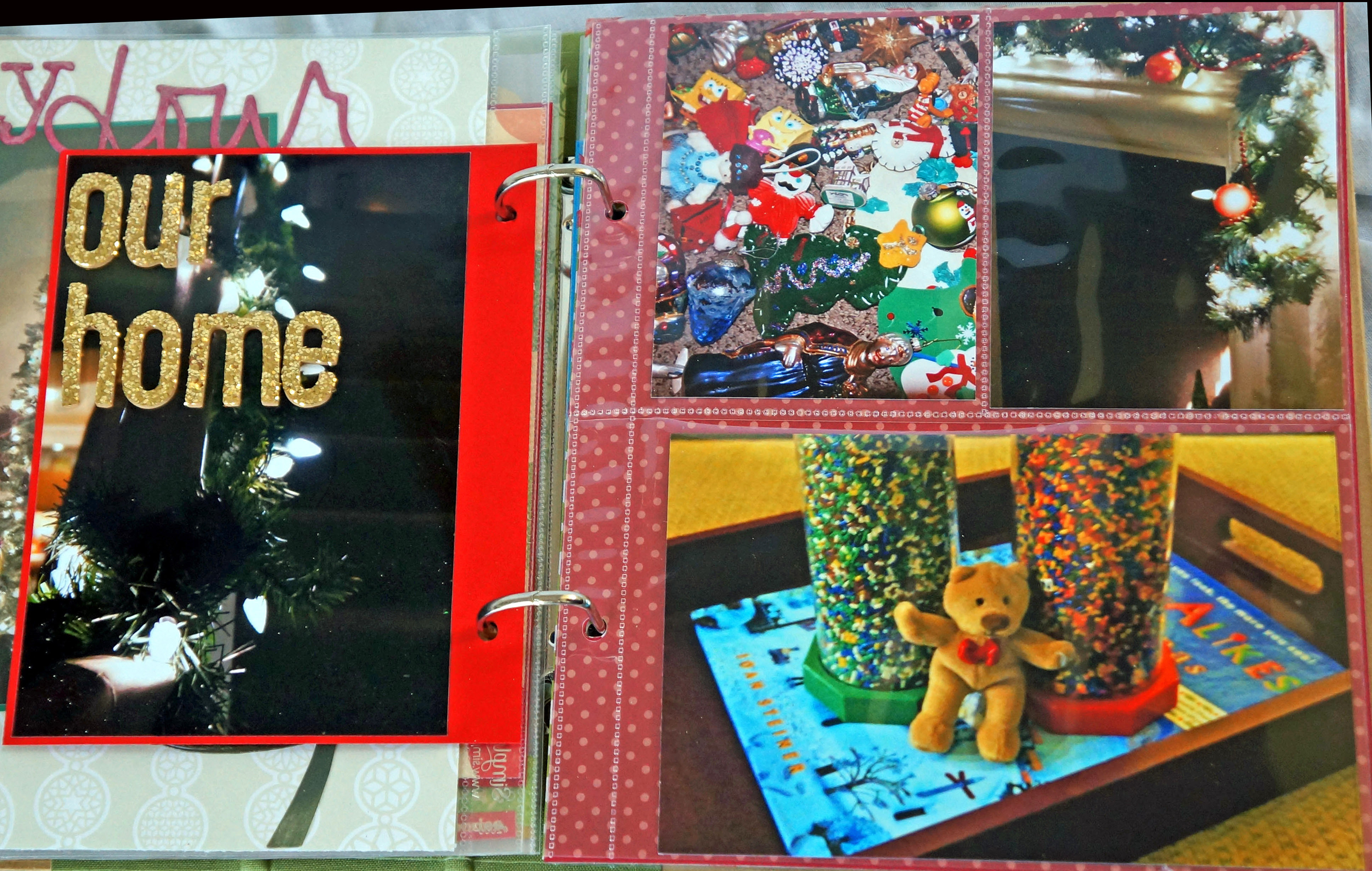
Day four we trimmed our tree. All the kids had fun going through our ornaments and remembering when they got theirs or made which ones. Its always my favorite part about decorating is seeing how special these ornaments are to my children.

December Daily @ Thecraftypickle.com

December Daily @ Thecraftypickle.com

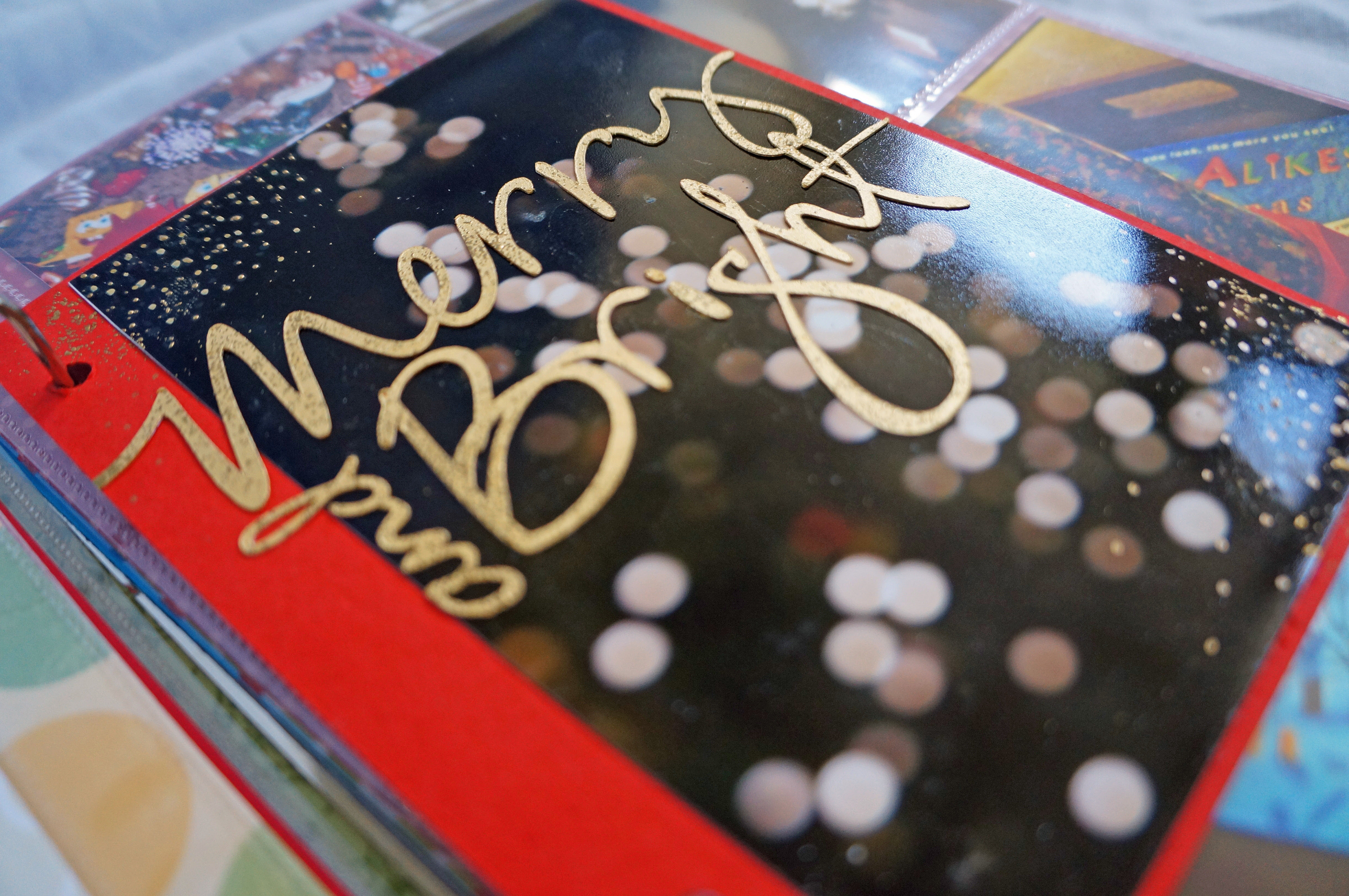
The little dots around the photo below were made with an embossing marker and adding gold ZING embossing powder to add to the twinkle of the photo.
December Daily @ Thecraftypickle.com

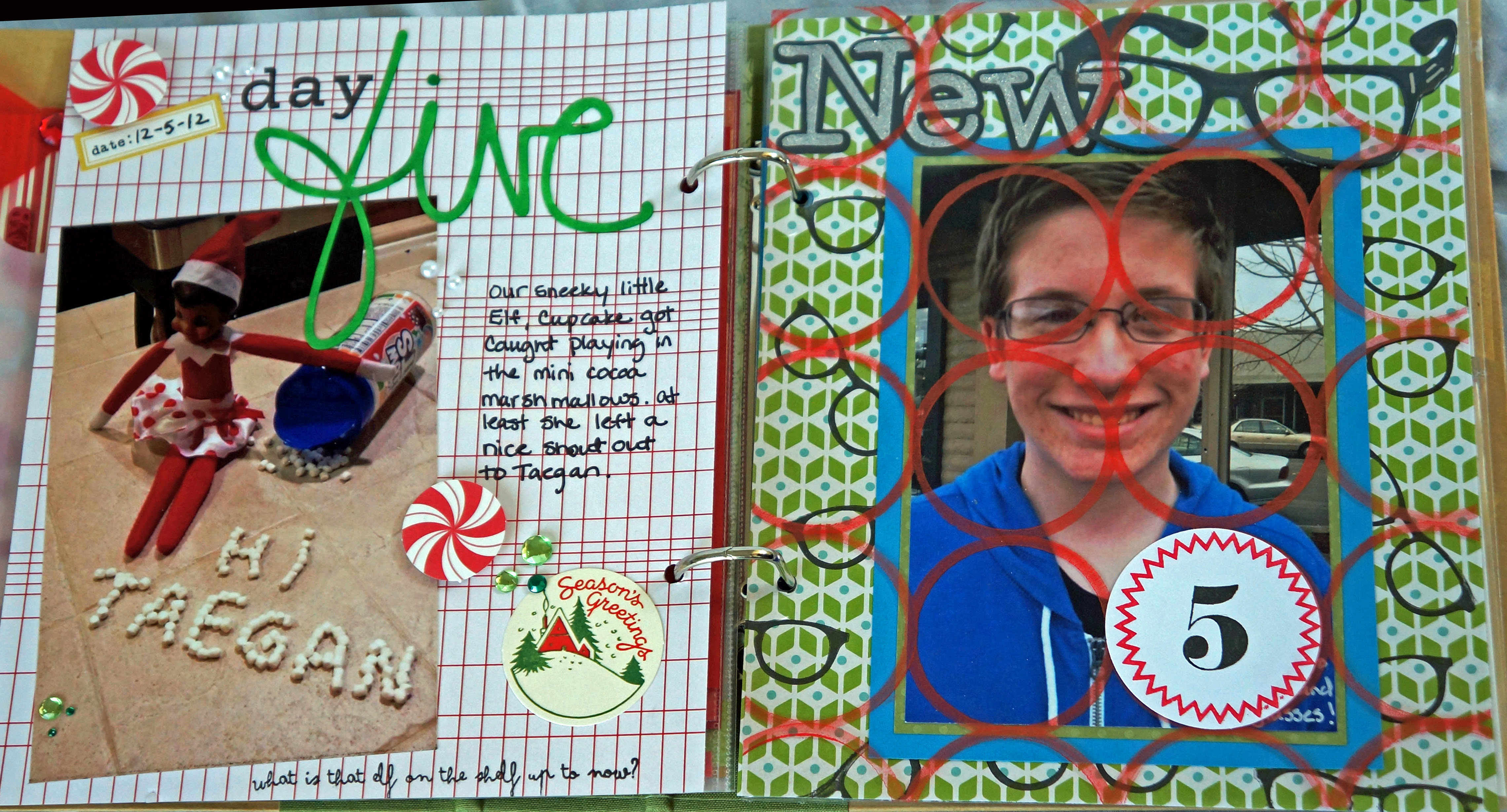
For Day five I just had a photo of our Elf, Cupcake, writing a little hello message to Taegan. This was one of the most favorite things Cupcake did that Taegan loved (besides she got to eat all the marshmallows after!)
December Daily @ Thecraftypickle.com

and on day 6, my son got new glasses.

December Daily @ Thecraftypickle.com

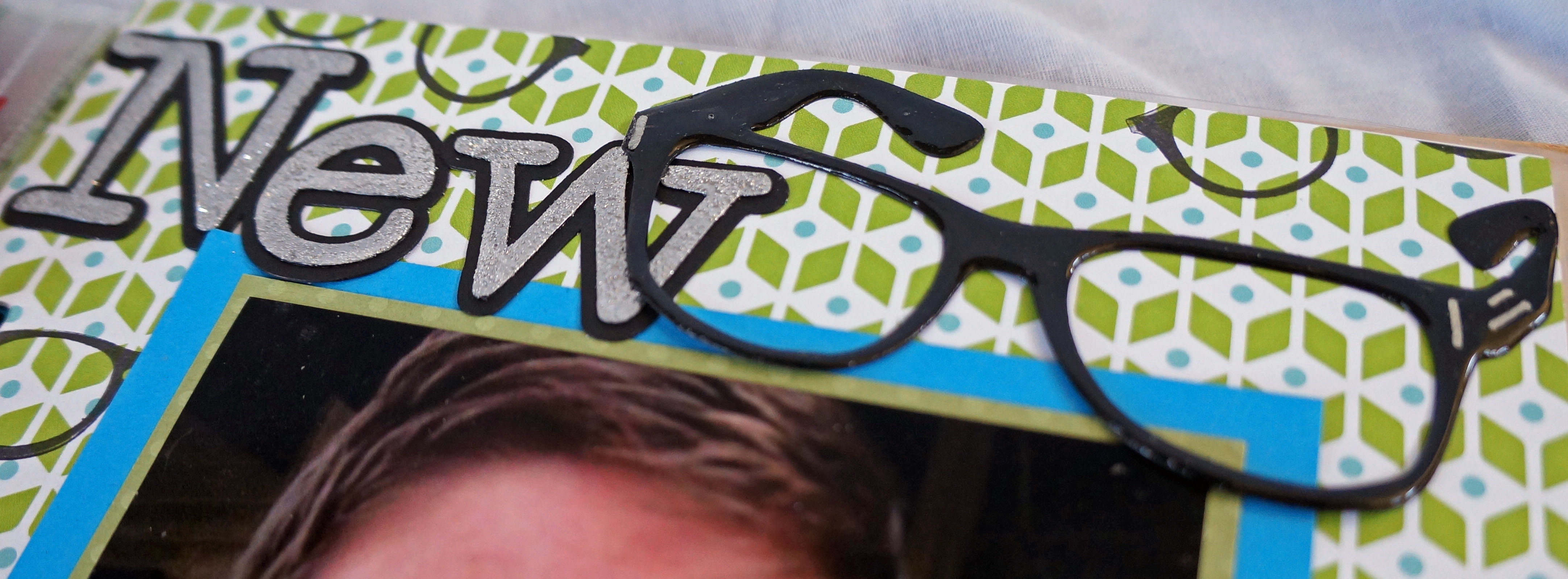
The glasses in the title were cut with the silhouette. The other glasses were stamped using a brand new release stamp from close to my heart *bonus sneak peek* . For the title “NEW” I cut one set and a shadow set from the silhouette. I dabbed platinum ink on the top letters and covered it with silver glitter ZING embossing powder.
December Daily @ Thecraftypickle.com

(I realized that I completely forgot to photograph day 7 and 8 *OooOps* so I will have to go back and do those this week)

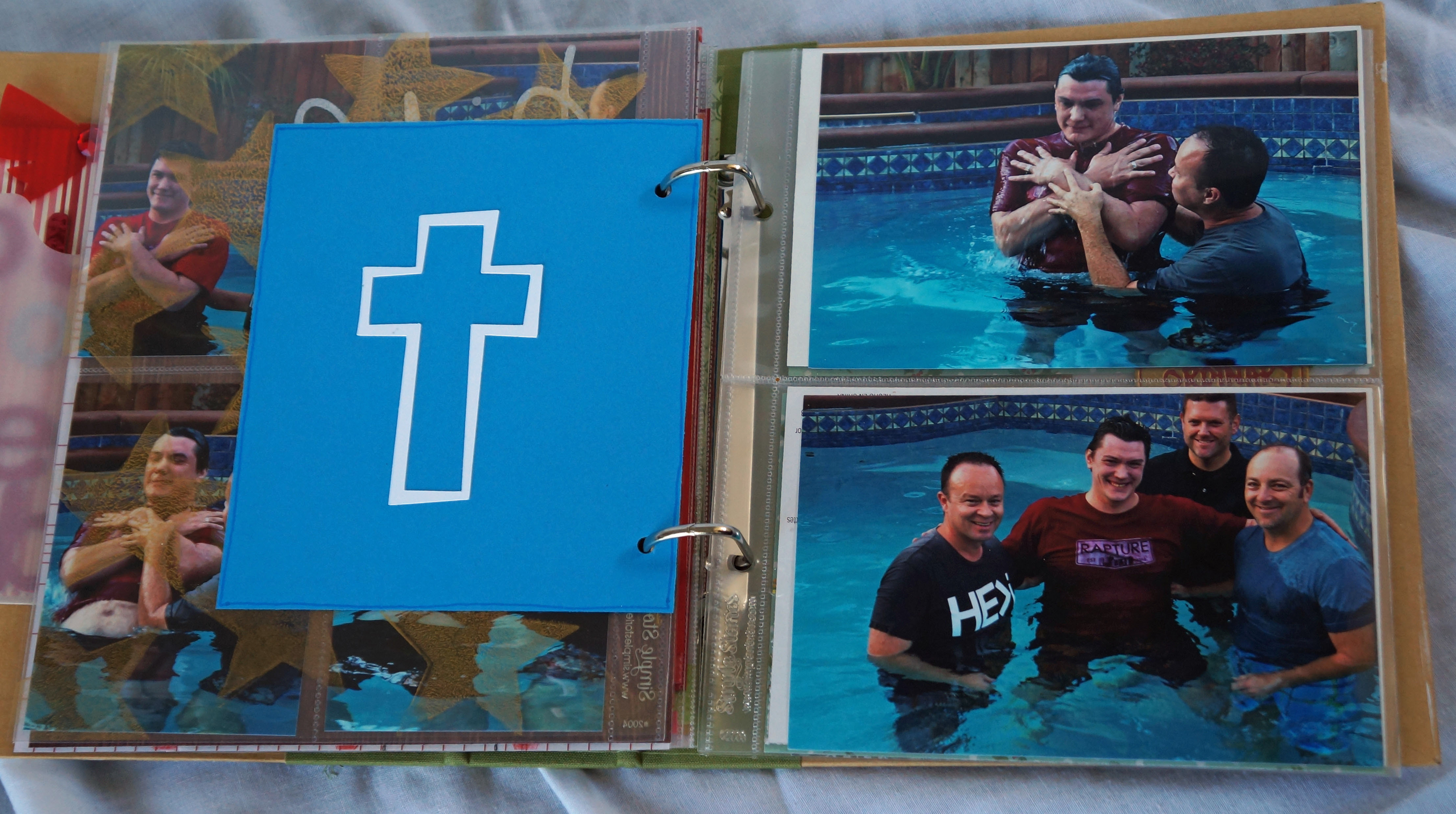
Day 9 was a VERY special day for my husband and my family. Baptism Day. My husband chose such a wonderful time of the year to be baptized. For our entire marriage he was not a believer but at the end of summer 2012 he gave his life to Christ. I was honored and humbled at being able to witness the experience and transformation God has done in my husband.

December Daily @ Thecraftypickle.comDecember Daily @ Thecraftypickle.comDecember Daily @ Thecraftypickle.com

Transparencies were really hard to come by since Hambly studios went out of business. So one afternoon I got out some foam stamps, packing bubbles, and anything else i could find along with some acrillic paint and some blank transparencies and decided to make my own. They were very easy and I just let them dry overnight. I made about a dozen in total.

December Daily @ Thecraftypickle.com

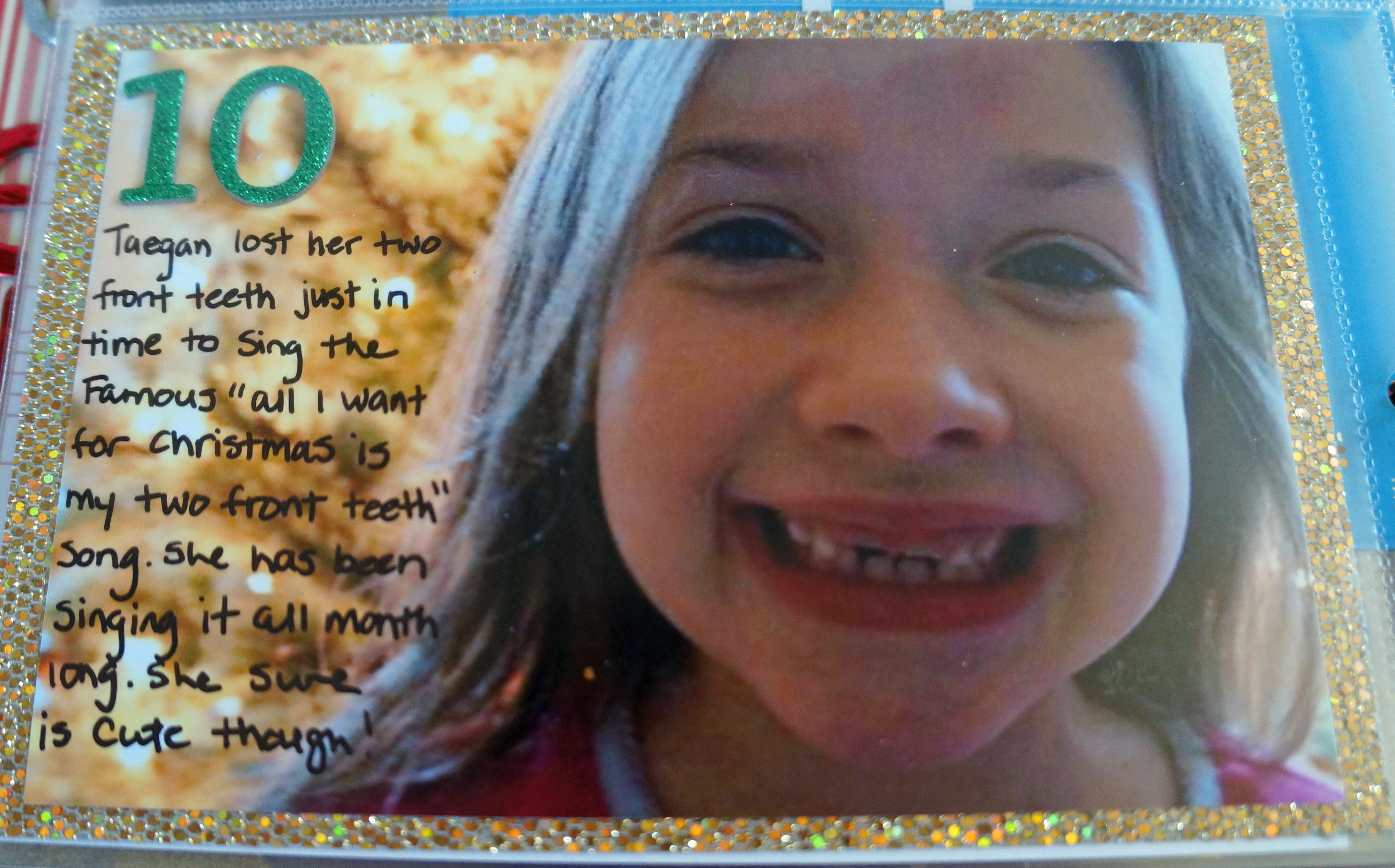
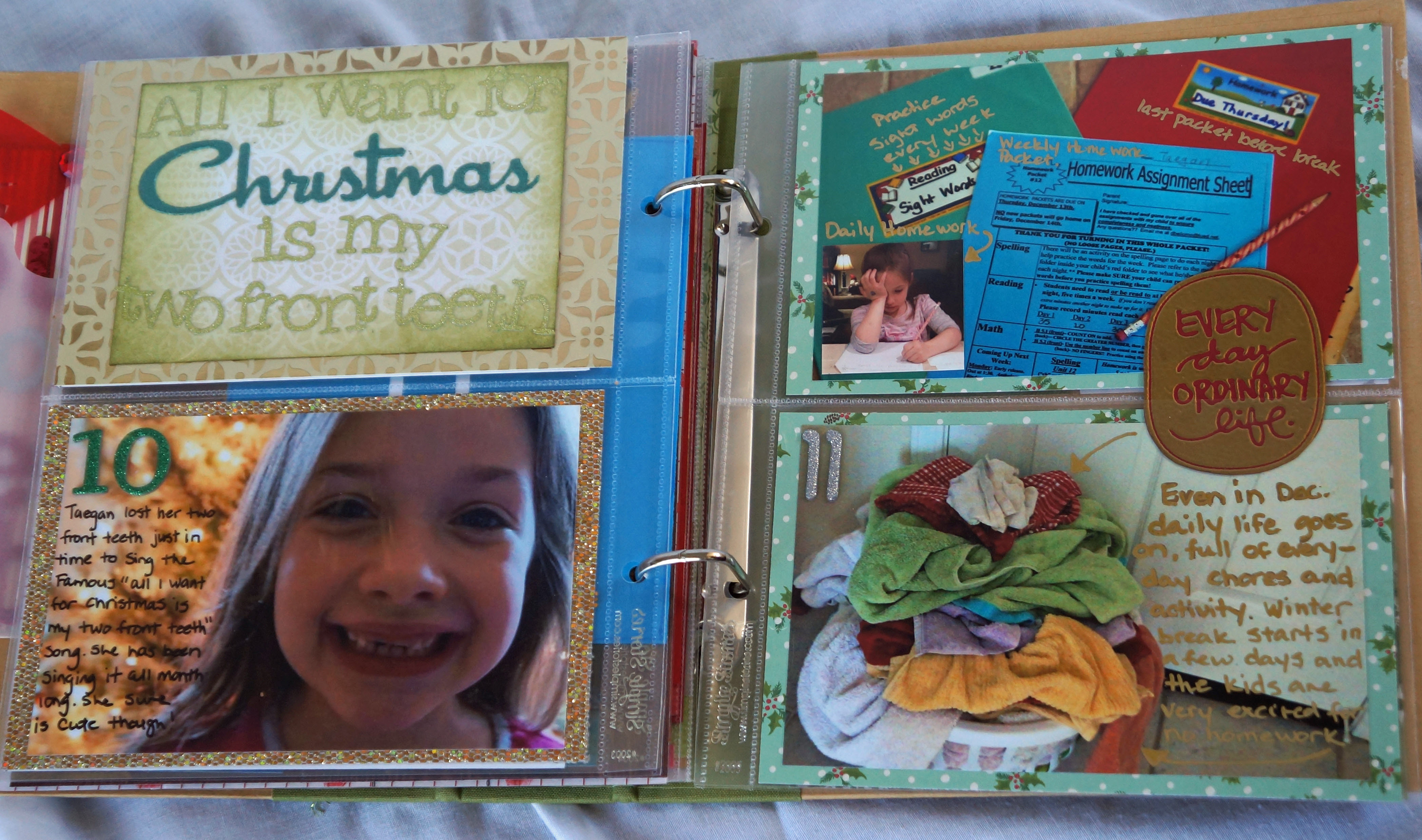
You know that song “All I want for Christmas is my two front teeth”? Yeah we got to hear that one A LOT this year!!!!!
December Daily @ Thecraftypickle.comDecember Daily @ Thecraftypickle.comDecember Daily @ Thecraftypickle.com

She was a super cute toothless sweetheart! In her words “the best thing about having no front teeth is that you have a place for your straw and you can whistle though the space” …. I love the things kids say!

My Day 11 was documenting that even though we are in a festive busy month we still have our normal everyday tasks, chores, and daily life that we have to do.

December Daily @ Thecraftypickle.com

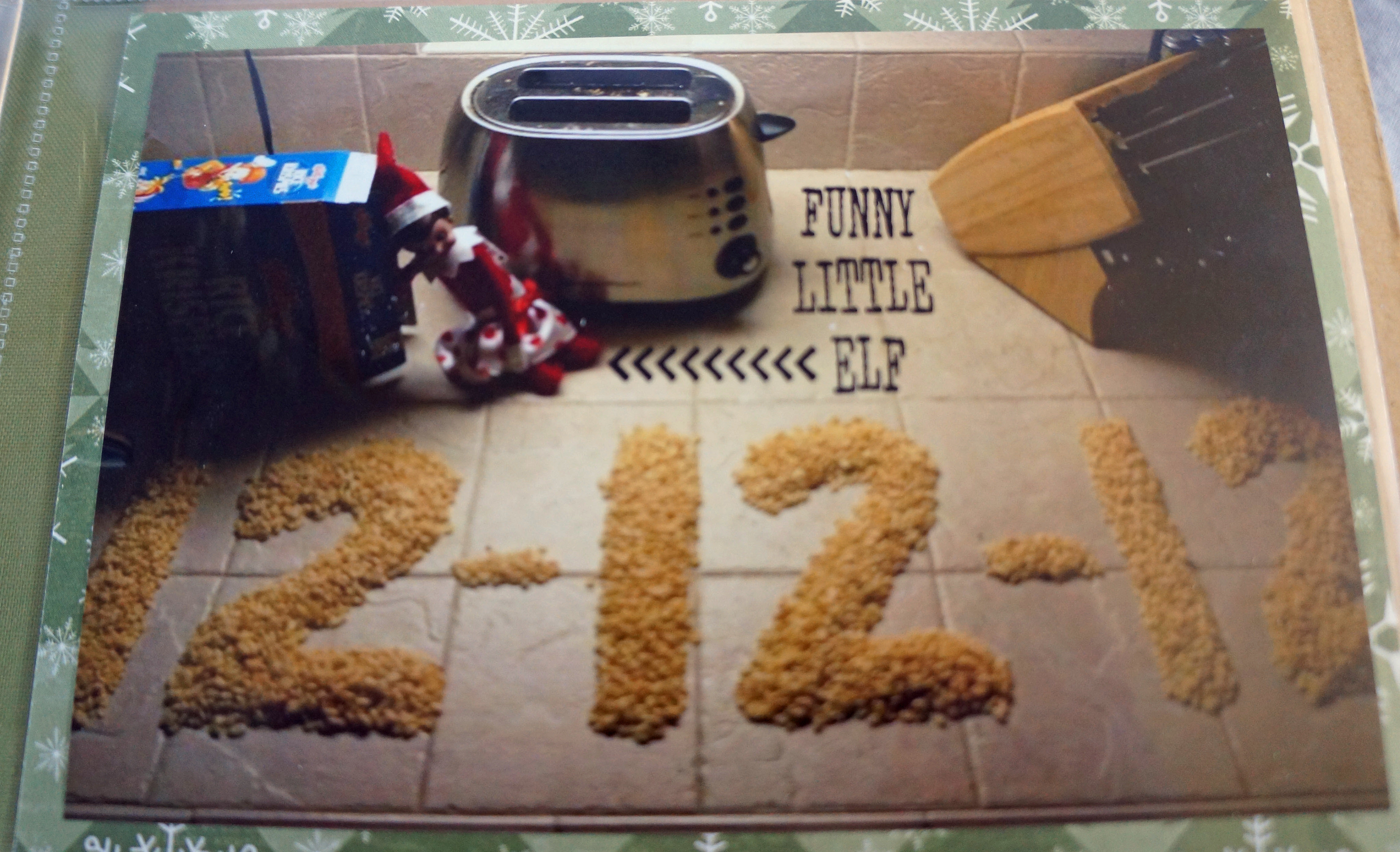
Day 12 was a super fun day for us. We managed to do everything we possibly could with the number 12! I even had a 12 year old to take a photo of! Some of the things we did were: Call 12 special people in our lives and talk for 12 minutes ONLY, Baked 12 cupcakes, bought 12 lottery cards, Boiled 12 eggs for breakfast, I reached my lucky 12 at starbucks for a free drink, Stayed up until 12:12 at midnight on 12-12-12 and again at noon making sure to text my husband at that exact minute. Our little elf, Cupcake even had her “twelve” fun with some Rice Krispies!

December Daily @ Thecraftypickle.comDecember Daily @ Thecraftypickle.comDecember Daily @ Thecraftypickle.comDecember Daily @ Thecraftypickle.comDecember Daily @ Thecraftypickle.com

I hope you enjoyed your first peek into my 2012 December Daily. I promise lots more Christmas in July is coming though the rest of this month at The Crafty Pickle. Until then Hop along to some of these other talented ladies blogs to see more yuletide inspiration!

Next on the hop isĀ Smitha

In case you get lost at any point, here is the list all the blogs

Ruth – http://scrapmachine.com/

Bernice – http://btsoi.blogspot.com/

Theresa – http://himynameistheresa.com/

Holly – http://harmonydiy.blogspot.com/

Sandar – http://www.thecraftybunch.com.au/

Melissa – http://digitalscrapbookinghq.com/christmashop

Kimberly – http://kimberlymariekett.blogspot.com/

Stella – http://myscrapbliss.blogspot.com/

Alanna – http://scrapping-and-life.blogspot.com

Megan – http://meganlianesblog.blogspot.com/

Jen – http://myreillyboysandme.blogspot.com

Lisa – http://mykreativepursuits.blogspot.com

Margareta – http://www.paperpilekitten.com/

Taniesa – https://thecraftypickle.com/Ā  Ā  *You are here*

Smitha – http://www.smilingcolors.com

Catherine – http://paperaddictcatherine.blogspot.com

Kate – http://www.funkytales.blogspot.co.uk

Tasha – http://tashascreativejuice.blogspot.com/

Melissa – http://yesterday2day4ever.blogspot.co.nz

Alison – http://magicalmesses.blogspot.com/

Cat – http://decisioninspired.com

Manda – http://www.mandalikadesigns.com/

Madeleine – http://senoritaml.wordpress.com/

Melissa – http://www.scrappyjedi.com/

Amanda – http://amandathemadscrapper.blogspot.com/

Ali – http://www.moloneystylestamping.wordpress.com

Jenny – http://scrappinjen-partyoffive.blogspot.com/

Ros – http://noteverypicturezperfect.blogspot.com.au/

Sue – http://themakingtable.blogspot.com.au/

Julie – http://plywthpper.blogspot.com/
Thinking of you….. A dry embossed look using die cuts!

Hi Friends!

I missed my Make-A-Card Monday post as I was celebrating my little girls birthday so I thought I would share a card I made for a special person in my life (hoping it brings a little smile to her face)

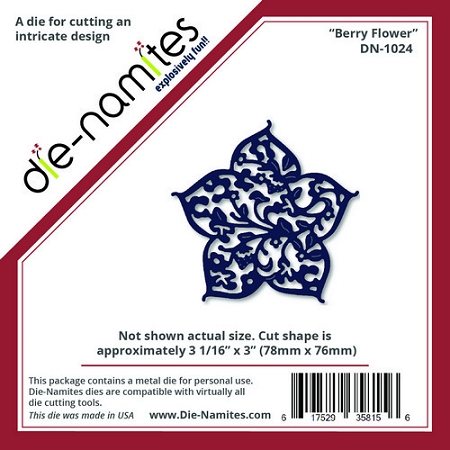
For this card I mimiced the dry embossing look with some intricate Die-Namites die cuts. The two dies I am using for this card areĀ Ā theĀ Berry FlowerĀ die and theĀ Birds on a BranchĀ die. I am using this teqnique on a card today but this same look would be great on a scrapbook page, altered project or project life card.

Berry Flower die from Die-Namites

Birds on a Branch Die-Namites Die

I love that you can achieve the look of dry embossing with die cuts on cardstock in the same color. I went with white for my card but you could do this easily with any color cardstock. The effect looks better with smooth cardstock rather than textured cardstock. Here is a look at just the background of the card:

Thinking of you background portion of card @thecraftypickle.com


I used a total of 5 die cut shapes to do the entire card front. The key thing is to make sure that the die cuts are adhered down completely. I ran the die cuts through my xyron machine, but working with a glue pen would also work well as long as you are careful not to apply too much glue. Once I had my dies arranged, trimmed and adhered I took a rubber cement eraser and cleaned up any extra adhesive from in between the flower detail. I also took a nail file and lightly sanded the cut parts of the die cuts around the edge of the card to soften the edges and blend them into the card. This technique would also look beautiful as a scrapbook page background.

Thinking of you card @thecraftypickle.com


After the background was done I began working on the sentiment strip. I took a Close To My Heart ink pad in the Lagoon color and stamped some of the ink on a clear acrylic block I use for stamping. I removed a little of the ink at a time with a water brush and beginning at the edges of the white cardstock I added color working my way in towards the center. I love the watercolor look this achieved. I stamped the “Thinking of you” sentiment in the same color ink and then went back in with my water brush to add a little more color in between the letters.

Thinking of you card @thecraftypickle.com

To complete the card I took theĀ Birds on a BranchĀ die and cut it in the same color cardstock as the border strip. I fussy cut a few of the pieces apart and attached them to the left of the sentiment. I finished by adding some glitter detail on the butterflies using a clear wink of stella glitter pen.

I hope you enjoyed this fun little tip! The intricate designs of theĀ Die-Namites diesĀ are perfect for this look. Experiment with any of theĀ Die-Namites diesĀ for a bit ofĀ POPĀ in your next project! Check out more Die-Namite die cut tips and projects on the company blog!

Happy (almost) embossing!


Organizing your Project Life cards? I have a file share for you!

Hi Project Lifers!

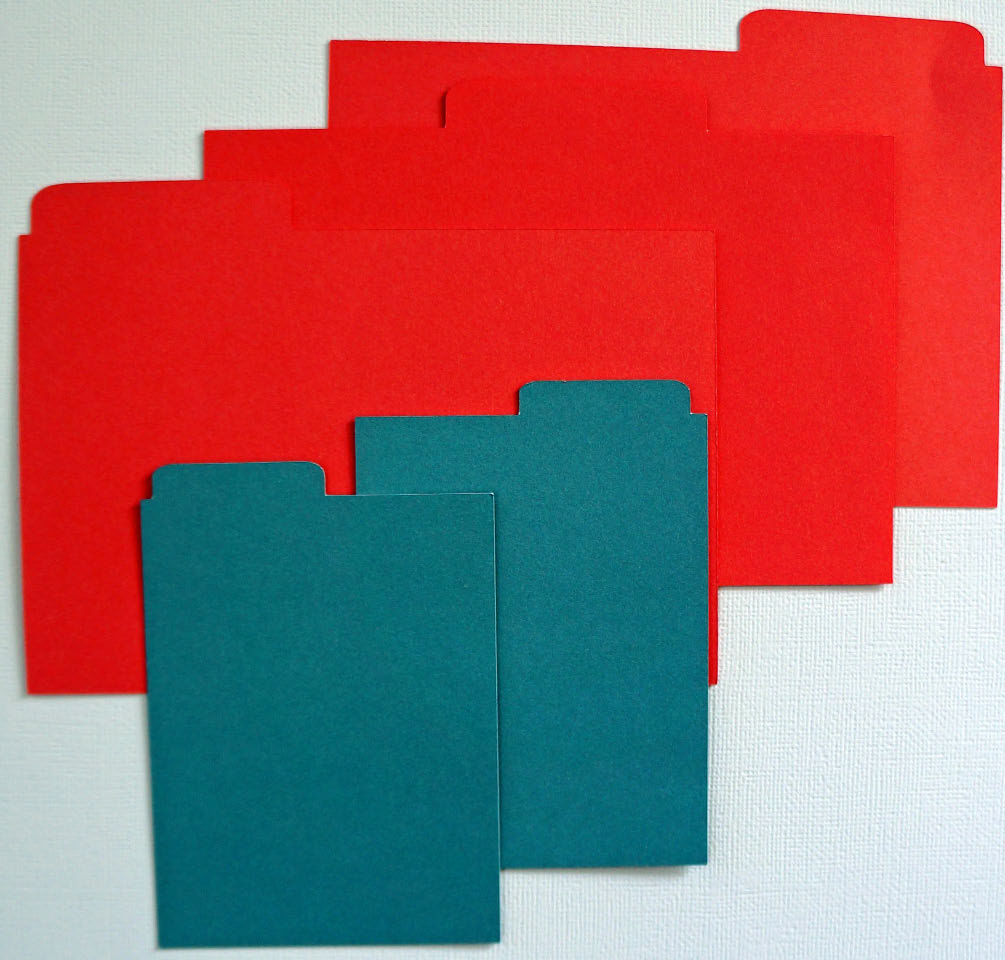
I am working on organizing my cards this week and was in need of new dividers. My old method was taking a grid card and attaching a file tab from a We R Memory keepers punch I had onto the card. Rather than spend the time punching and stapling I decided to create a file in my silhouette to make my own file cards. They worked out perfect for me and I thought I would share with you today!

There are three different tabs for the 4×6 and two different tabs for the 3×4. Here they are cut out:

Project Life Dividers: Free download @thecraftypickle.com

To download these two files for your silhouette, free, click HERE.

* edited update: If you would like to see a video of how I am currently organizing my Project life cards and monthly Subscriptions please click HERE to be directed to my most current card organizing post.*

I hope these help you get your cards organized like it did mine.

Happy Organizing!

Project Life Week 24: die-cut embellishments

Hi Fellow Project Lifers!

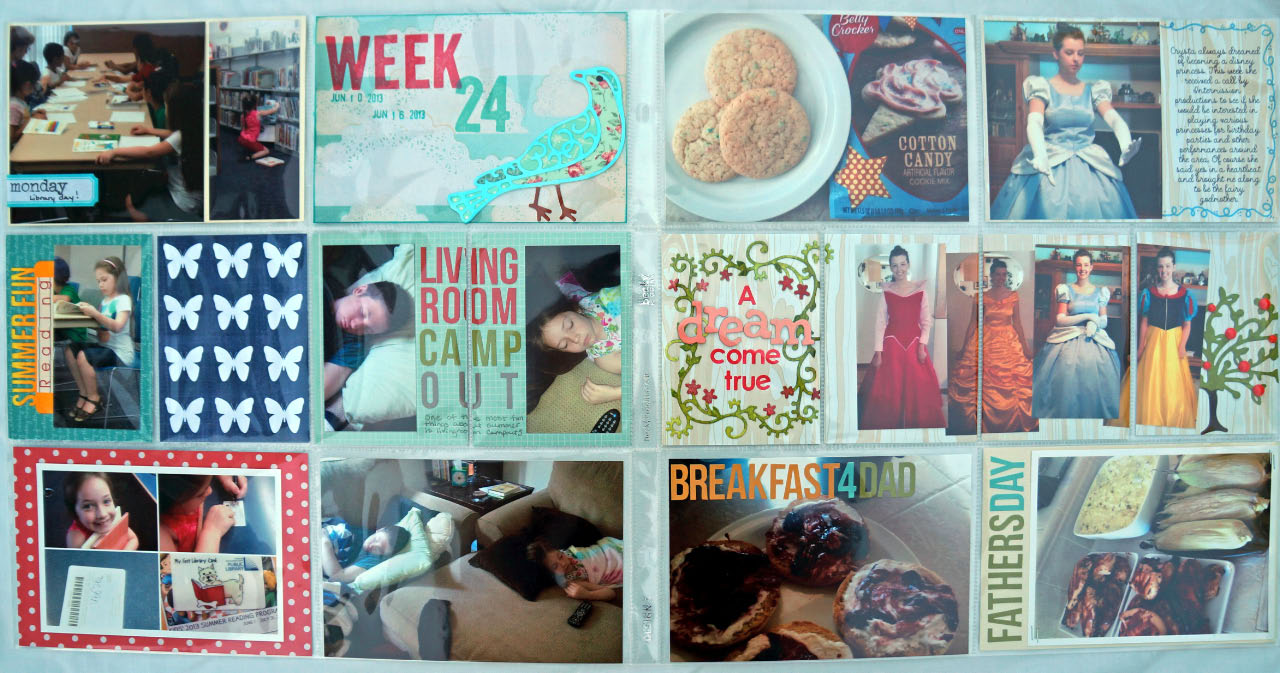
Today I am working backwards a bit and showing you my week 24. Ā This week I had a bunch of fun playing with some brand new dies from Die-Namites! You have seen in previous posts that I am very fond of my silhouette die cutting machine, but the one thing I find that I have a hard time with is getting really good intricate cuts from the machine. Thats why these dies rock! There is so much detail that brings a little wow to your project life without bulk. To cut my dies I use an Epic 6 by lifestyle crafts, but any manual die cut machine will work.

Here is the full two page spread:

Week 24 @thecraftypickle.com

And one of just the left hand side:

Week 24 @thecraftypickle.com

For my title card I used the Die-Namite’s Scrolly bird design. I originally cut it from a heavy white cardstock and then colored it with a light blue copic marker. I took a piece of cream cardstock and attached various strips of washi tape. I fussy cut the different pieces of washi to fill in the different parts of the bird. It really helped the die cut pop and didn’t add any additional bulk to my pocket. I LOVED the result.

Week 24 @thecraftypickle.comHere is the second page of my layout:

Week 24 @thecraftypickle.comFor the second half of my project life layout I decided to use the center portion of the page as one 4×12 strip just cutting it in 3×4 sections.

Week 24 @thecraftypickle.comI used two different Die-Namites dies for this section. The first was the Floral Corner die. I cut two of these corners out of heavy watercolor paper and then played with some greens and pink watercolors. I put the two together to make a little frame around the title. The watercolors add a little more than just coloring with a marker or cutting from cardstock.

Week 24 @thecraftypickle.comThe second die in the last pocket was the Flowering Tree die. I cut this from heavy white cardstock and colored in with copic markers. I added red enamel dots on the tree to mimic apples. I thought this was fitting being next to Snow White. Cutting off the very edge of the die makes the section of the layout flow a bit better.

Week 24 @thecraftypickle.com

My oldest daughter had a wonderful opportunity present itself, to be a disney princess for a local production company, these photos of her are her trying on the different costumes.

Week 24 @thecraftypickle.com

To check out more about the Die-Namite Dies I have used today and more, please visit the site HERE. A little birdie told me there is some amazing new stuff coming out SOON!

Looking for more project life inspiration? As always, I am linking up withĀ The Mom CreativeĀ who shares her album every week and links up with several other talented project lifers.

Project Life Tuesdays @TheMomCreative.com

Have a great week everyone!

Happy Crafting!

Project Life (weekend edition): Week 26

Hi Project Lifers!

This weekend I am skipping ahead a bit to week 26. I will work backwards until I get caught up but I don’t want to forget things while they are fresh in my head. Even though I keep a pretty good journal on my iPad of what’s happened and when, It’s the little details that might get left out. I am very much enjoying my new planning process. If you missed out on how I utilize my iPad and the Paper by 53 app, Check it out HERE.

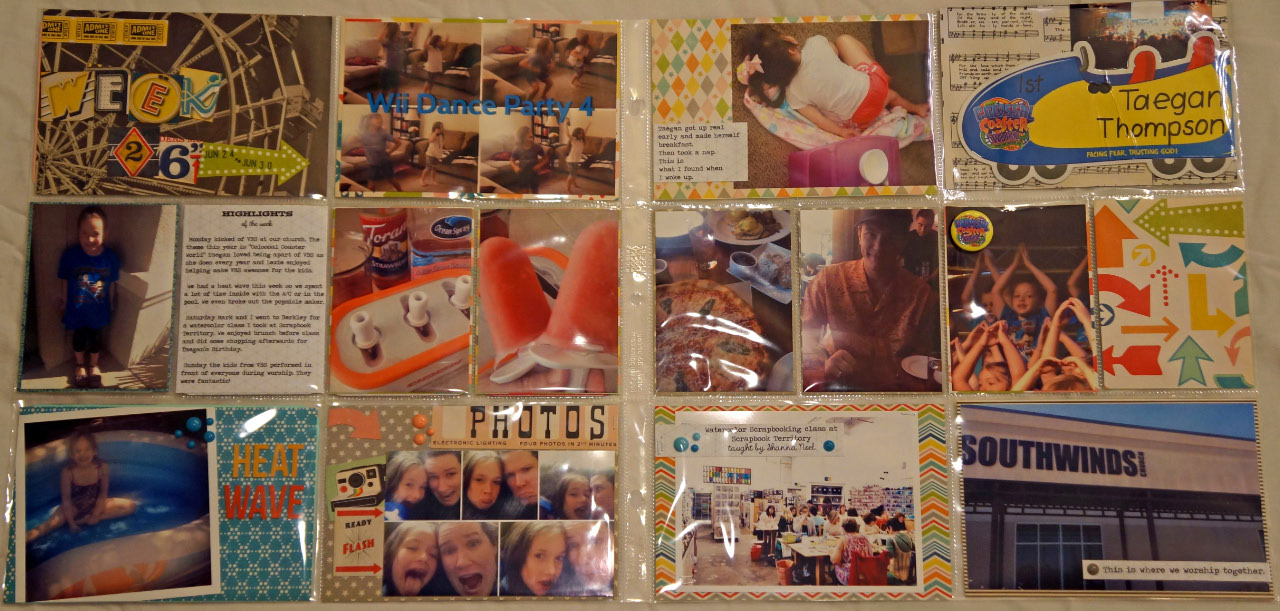
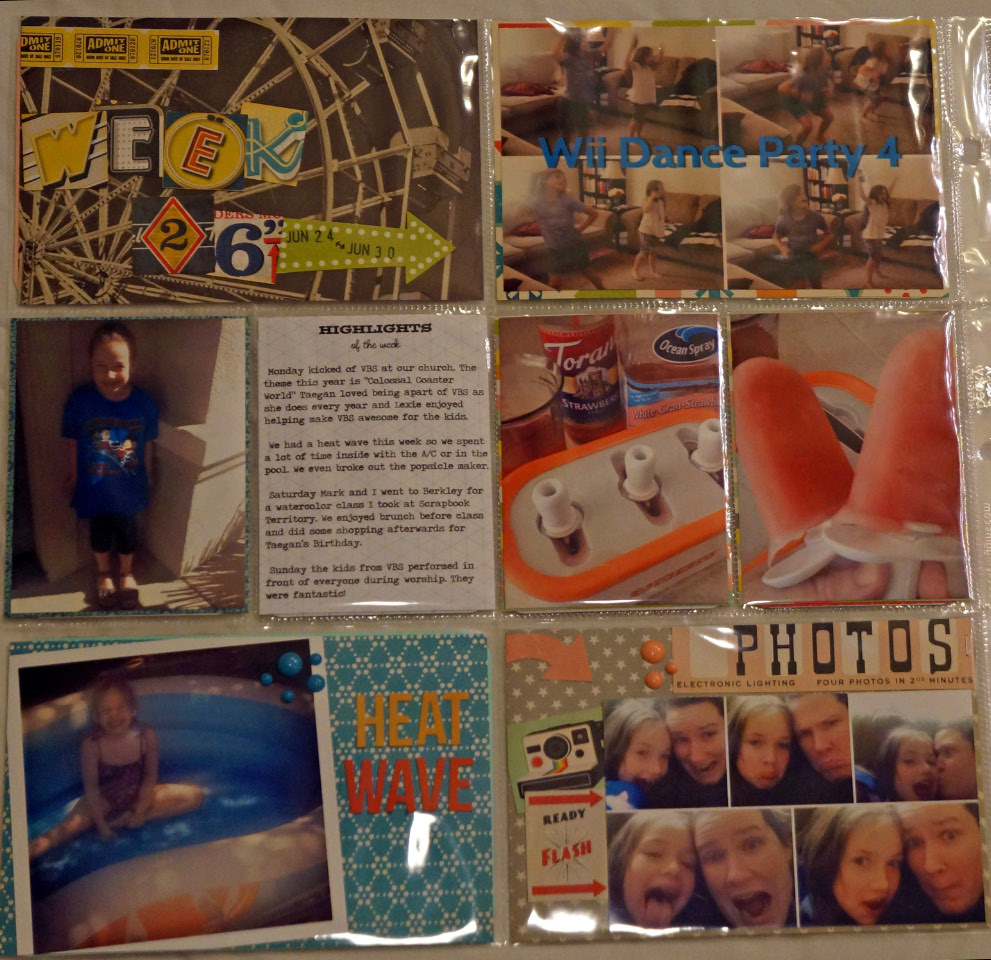
Week 26 was our VBS week and it was so much fun! The theme our church picked was Colossal Coaster World: Facing fears, Trusting God. With the roller coaster theme going on this week it made me think of the Midway papers from October afternoon. I had been hording saving these papers for a fun summer spread and this ended up being the perfect week for them.

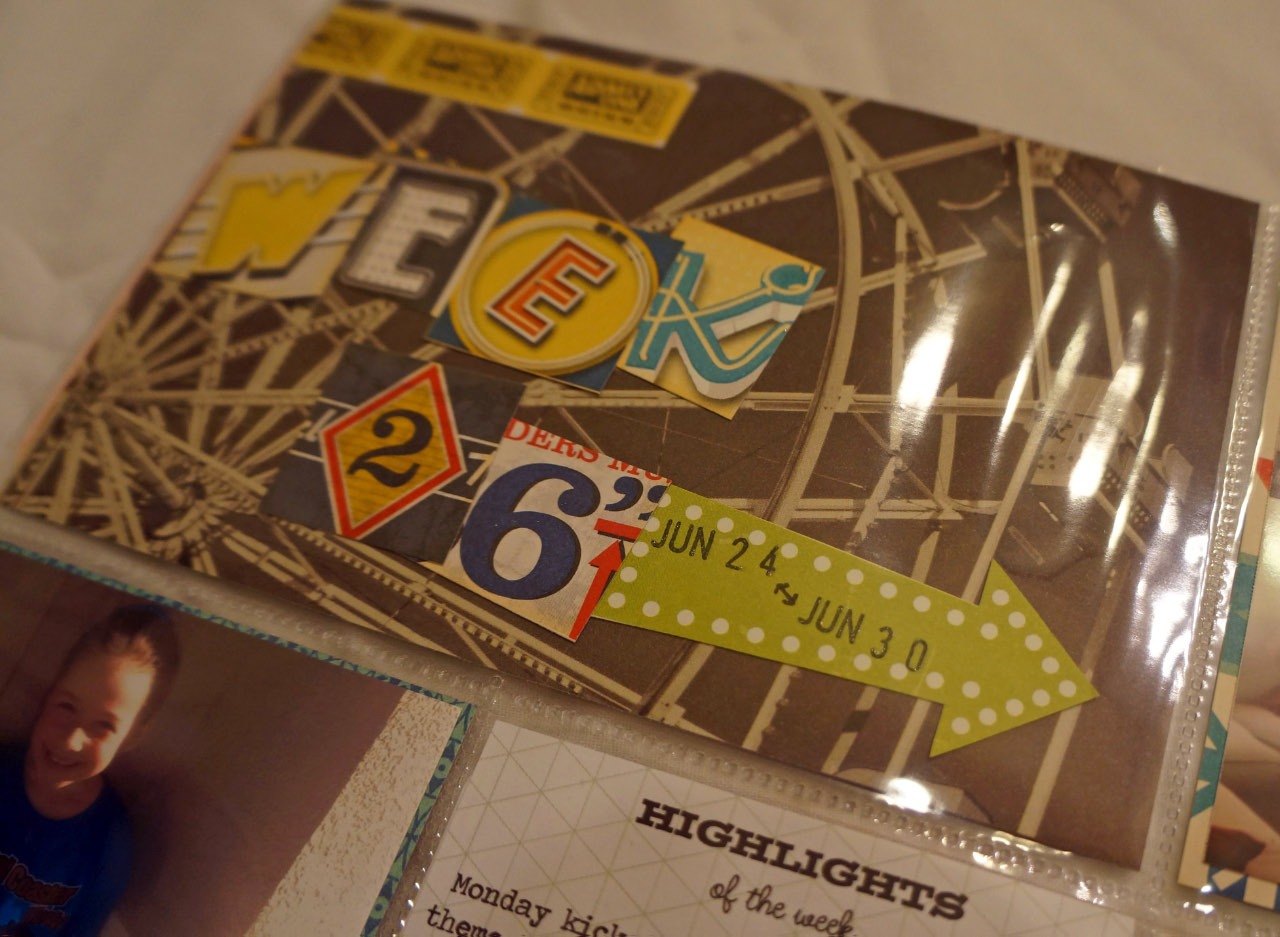
Project Life week 26 @thecraftypickle.comFor the title card I used elements from the different midway pattern papers and cut them up for a cute title and accent date arrow. It’s hard to tell in the photo but I took my clear glitter pen and added a little sparkle around the letters.

Project Life week 26 @thecraftypickle.com

I adore the photo booth elements to this collection and a collage of some silly photos taken one morning this week worked out well for these accents. The app that I used to make the collage is called PicFrame.

Project Life week 26 @thecraftypickle.com

Heres a shot of just the left side of the spread:

Project Life week 26 @thecraftypickle.com

Here is one just of the right side:

Project Life week 26 @thecraftypickle.com

I was able to fit in a few things saved from my daughters week at VBS. They gave these cute little buttons to the kids on the first day, VBS Flair? Yes Please!

Project Life week 26 @thecraftypickle.com

A big time saver for me this week was completing all of my journaling on one sheet and printing it out on some Studio Calico graph paper. Once printed I was able to cut out the journal card and the journaling strips that you see in the photos below.

Project Life week 26 @thecraftypickle.comProject Life week 26 @thecraftypickle.com

I hope you enjoyed the peek into my week 26 šŸ™‚ Today I am sharing my Project life along with others in a Saturday blog hop hosted by Michelle Bostinelos. If you did not come over from her blog please follow the link HERE to check out even more project life inspiration! Michelle hosts a great group of Project Lifer’s every Saturday. Be sure to check her out!

Have a great weekend everyone!

Watercolor your Wednesday!

Last weekend I had the privilege to attend a workshop taught by Studio Calico design team member, Shanna Noelle. Not only is she as sweet as she seems online, she’s a kind, funny, and very talented girl in person as well.

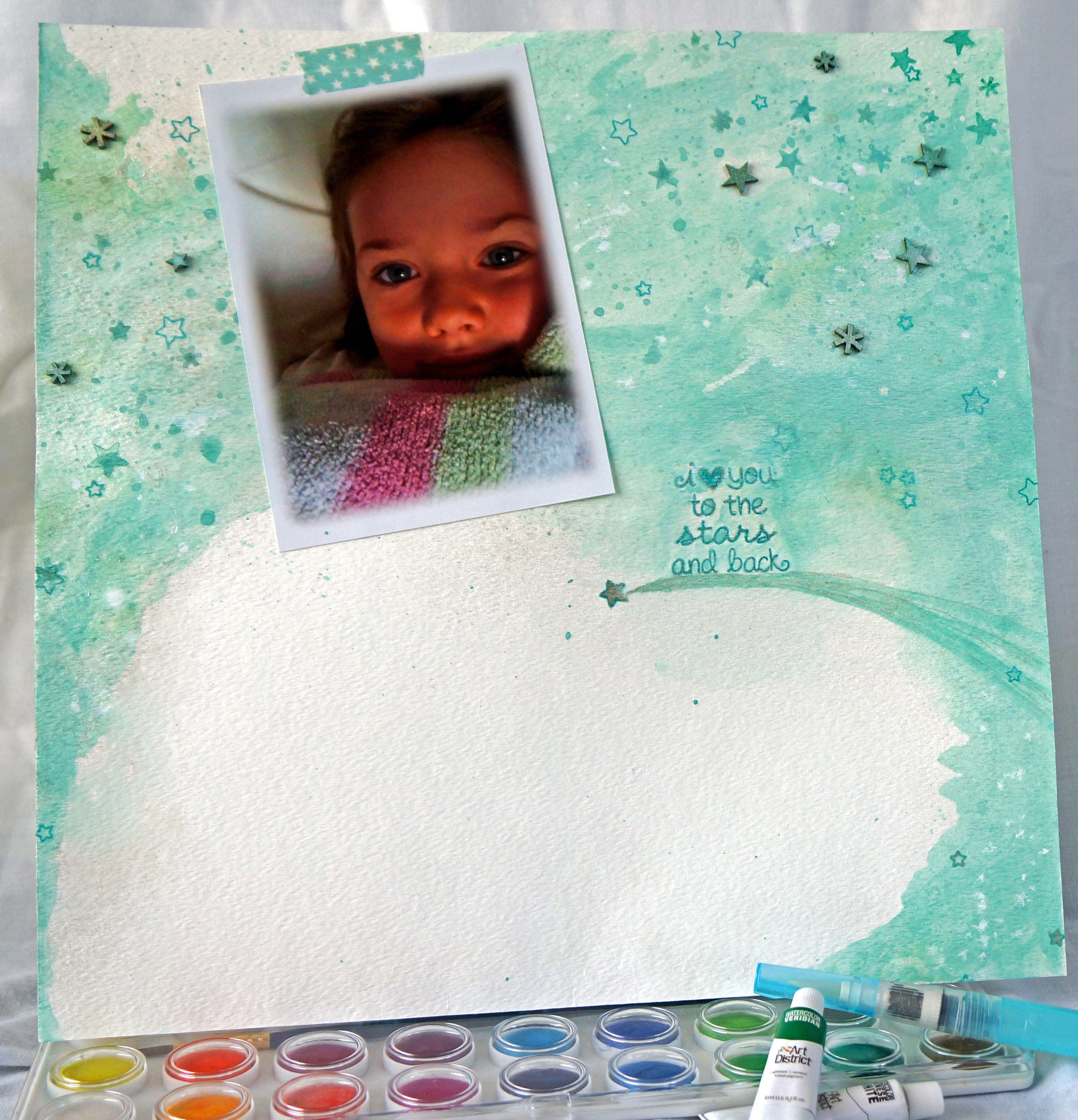
She shared her tips and tricks on using watercolors in your scrapbooking. Watercoloring is so on trend right now and I loved playing, mixing different colors, and seeing the effects that it can create on paper. It is really hard to pre-plan how this was going to go so I just started adding water, then paint, then more water and more paint. It really started coming together once the paint dried. For this layout I used Ā watercolor paint tubes and I mixed the white and green to get the aqua color I wanted.

Watercolor Wednesday @thecraftypickle.com

Once I had the color down and I was ready to embellish, I discovered a happy mistake. I went to color the wood veneer stars with watercolor but when I put it down on the paper it landed on the wrong side. When i lifted it up i saw it made a pretty watercolor stamped image of the star that I loved. So I began “stamping” with these watercolor painted wood veneer stars to make the background look more dreamy. I also took a clear outline star stamp and added that in a few places as well. Ā I added a bit of Mister Huey’s calico shineĀ for some shimmer and accented with a glitter pen here and there. I also added the painted wood veneer stars I used to stamp with.

Watercolor Wednesday @thecraftypickle.com

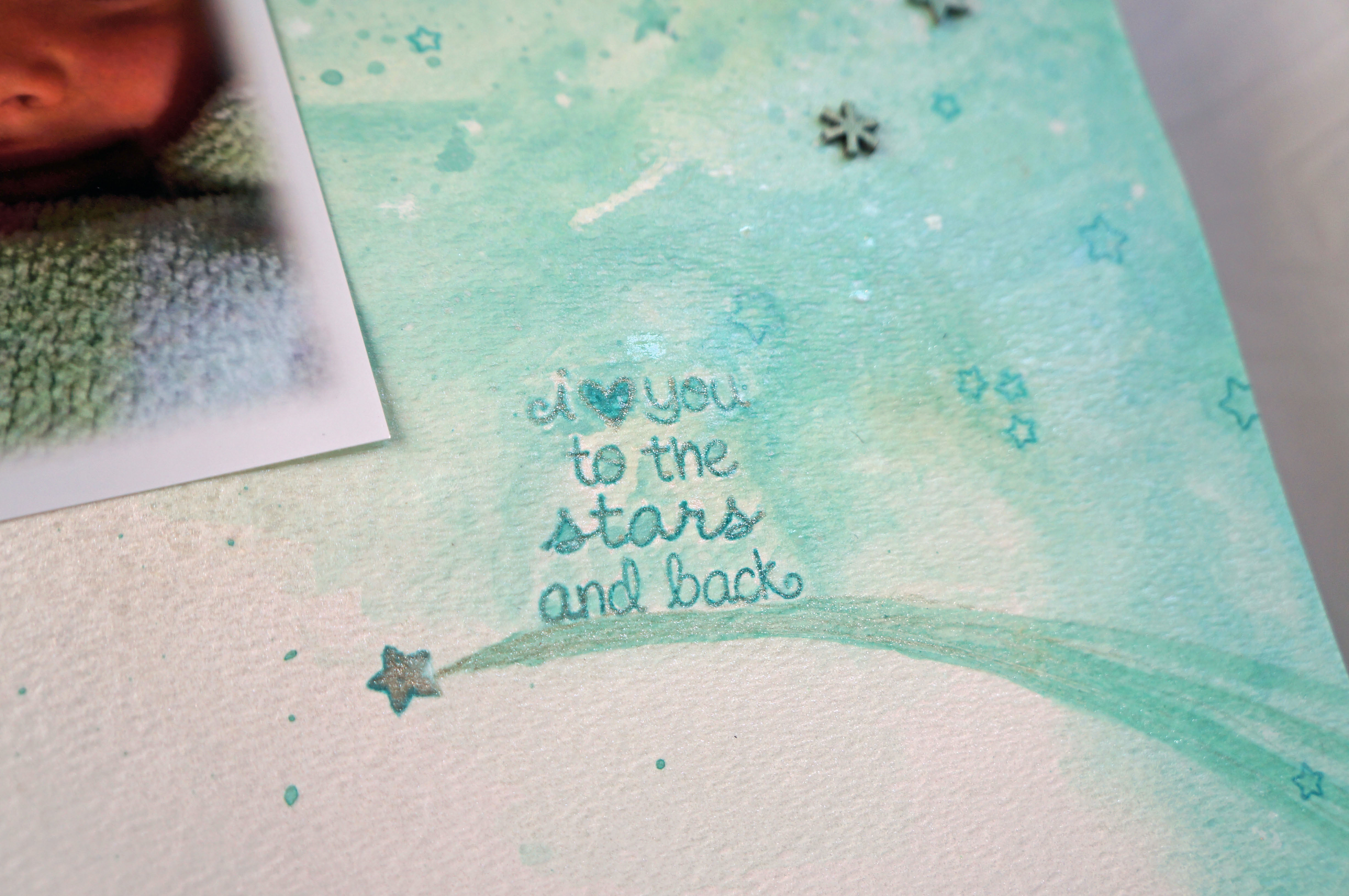
The stamp phrase (from Lawn Fawn) Ā was the added little touch. After I stamped the phrase I took a light wash of theĀ watercolorĀ and painted around and in the letters of the phrase to make it melt into the layout more. I added a bit of star washi at the top of the photo and a shooting star at the bottom of the stamped phrase and left it alone after that. I love this photo of my little girl and really wanted it to take center stage.

Watercolor Wednesday @thecraftypickle.com

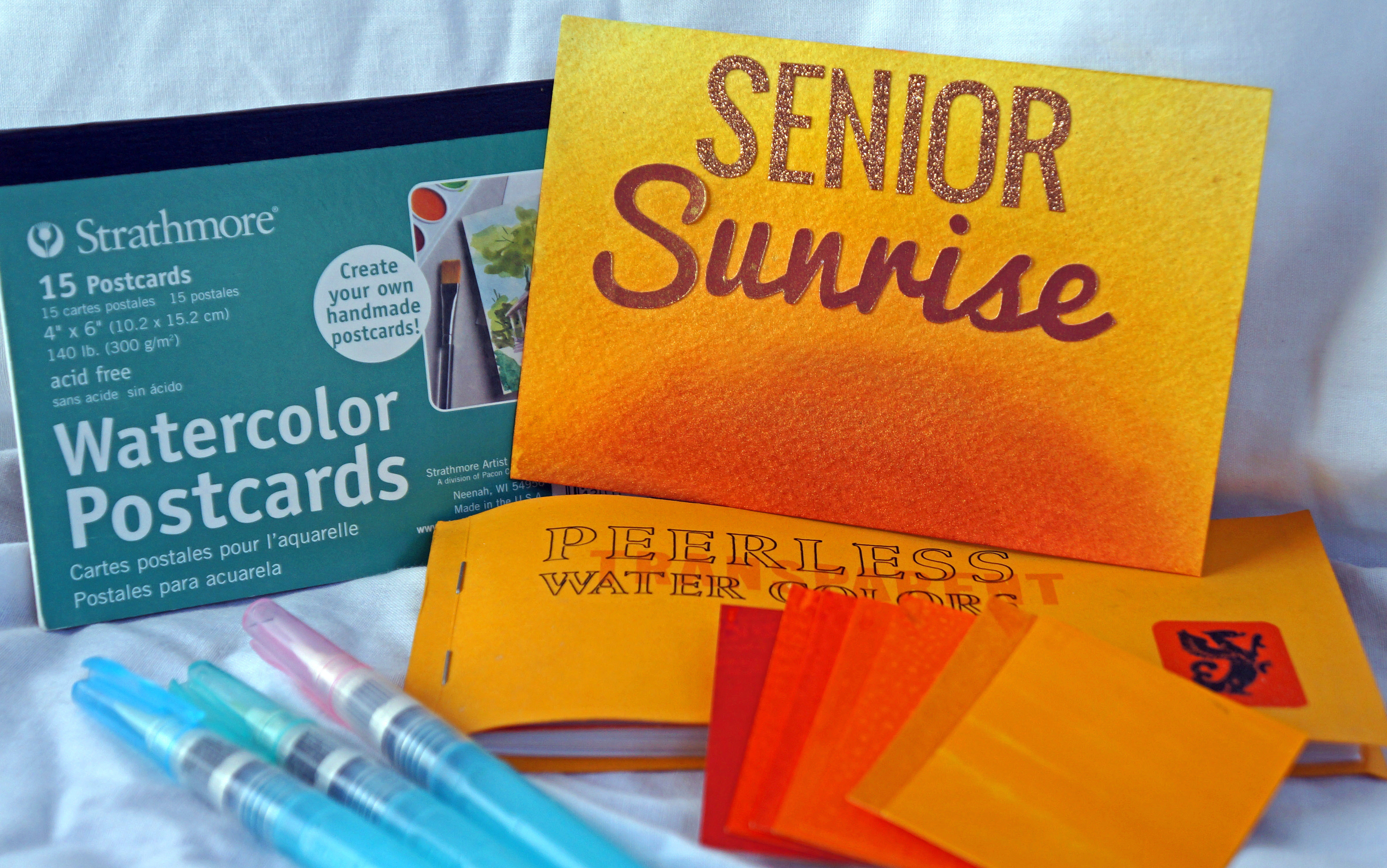
After having so much fun creating this layout in class I decided to play a bit more at home. I was thinking of ways that I might incorporate this into my project life and remembered that I had some 4×6 watercolor postcards! I got mine on Amazon but they are in most art supply stores. I played with some warm colors (red, oranges, yellows) to create a sunset look. This time I used the Peerless watercolor films which I LOVE! the color is so rich. I sprayed a fine mist of water on the paper before I started painting. I recommend picking up a water brush with these watercolor films to make painting even easier. After the watercolor dried, I lightly sprayed on some Mister Huey’s gold ink spray to give it more shimmer. The glitter sticker letters are from Pink Paisley and I cut out the sunrise word from my silhouette. This will make a perfect title card for my daughters Senior sunrise breakfast she had at the beginning of her senior year.

watercolor wednesday@thecraftypickle.comIf you have been afraid to try watercolors and painting in your scrapbooking in the past, give yourself permission to play. You will be happily surprised at the results!

If you haven’t heard, Shanna, along with a fabulous team of talented ladies are teaching a class called “Toolbox” over at Studio Calico in the month of August. There is also a great bunch of contributors to the class as well! I am determined to learn some digital scrapbooking techniques and this class has that and MUCH more. Check the class out HERE! You have until July 31st to sign up. I hope you’ll join me!

Thank you Shanna, for expanding my scrapbooking to include more watercoloring technique. I have a feeling I will be doing many more watercolor backgrounds in the future!

Happy Painting!

Project Life Tuesday: My Planning Process

Hi Project Lifers!

I thought I would do something different for my Project Life Tuesday post and show you my planning process for my pages. Right now I am 6 weeks behind the current week. I am not freaking out but I do want to make sure I am staying organized so that I don’t loose thoughts or photos that I want to include in past weeks. The key to staying on top of your album and not getting so frustrated that you want to quit is to stay organized.

At the beginning of the year I started off so excited to do my first year of Project life. I made a spiral bound planner that I had printed at staples and I was ready to go! I completed each weekly spread the monday after the week ended and I did this for the first month, No sweat right? Ah then life happened, got busy and I was two weeks behind… still chugging along but then it got to be three weeks….and I had yet to use the planner I had made.

Now there are a lot of people out there that really prefer the paper organizers over electronic gadgets. I have learned that I am not one of them. I just don’t carry around much other than my iPhone and my iPad and with 5 kids, I am on the go a lot. Having done away with the whole weekly paper planner idea, I was just printing photos and figuring out how to arrange them all as I worked on each individual layout. This ended up being a pretty long process for me. First I had to edit my photos then I had to figure out where they were going then I would have to print them in the right size. Only after that was all done could I really begin to scrapbook. Sometimes after spending an hour or so doing that, I had other things around the house I needed to tend do and Kids that needed my attention, so the actual scrapbooking part had to wait. This made me sad because the actual putting it all together scrapbooking part is what I really enjoy. I needed to figure out a better way to get this done and not give up.

I think I did!

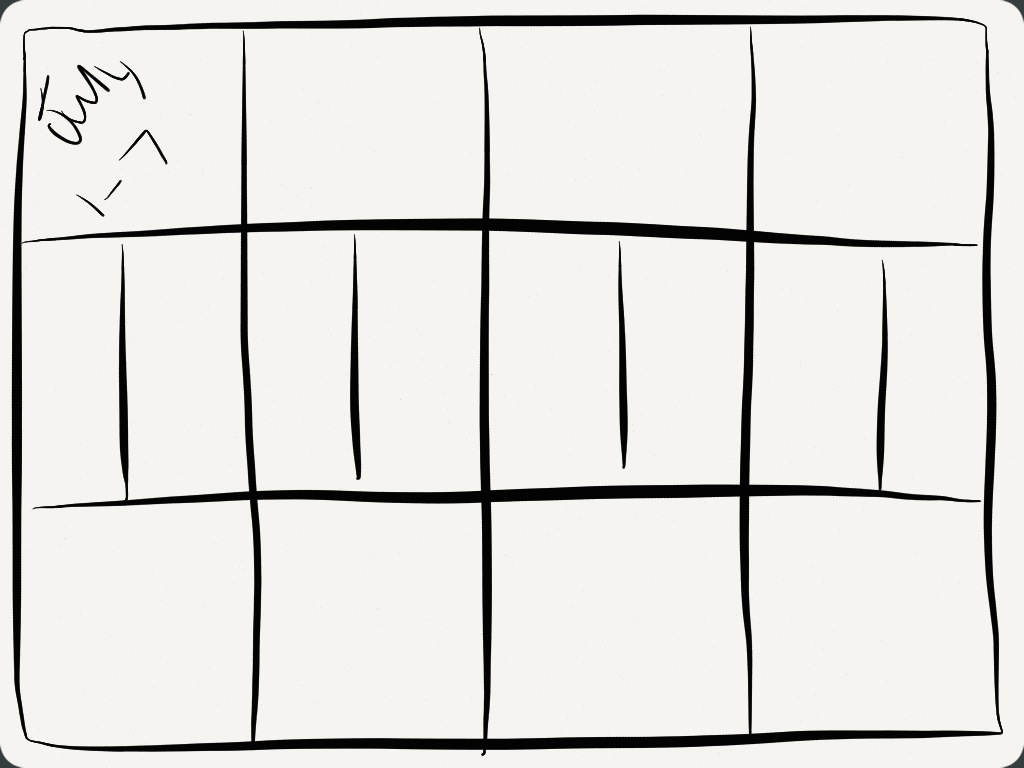
On my ipad I have an app called Paper by 53. I LOVE this app because I love to sketch, doodle, and I even use it to take notes with during church on sundays. It is a free app but if you want more “tools” you can buy them individually. I have them all but I only use the basic free version tools for what I am now doing for project life. I also use an app on my iphone called Project 365 pro to log one photo a day. This is a great reference for me when I am behind (more on that later)

Paper by 53 for your Project Life Planning @thecraftypickle.com

Turns out this app is PERFECT for sketching (in my case scribbling) out your project life pages! After church this sunday I sat down with my iphone and my ipad while I watched the girls play in the pool, and I started planning all my pages that I was behind with. In roughly an hour I had 6 weeks worth of pages sketched out (inserts too!). I can’t believe how quick and easy it was. Now all that I need to do is print the photos from my phone in the sizes I already planned out and pop them in their planned spaces. I effectively have taken, what I consider the work part, out of the planning process, and now I can get to the FUN part much quicker! Below is a few screenshots of my scribbly plans, I am sure yours will be much more legible and neat, LOL.

Project Life Planning @thecraftypickle.com

Project Life Planning process @thecraftypickle.com

photo (4)Ā  See, I am even ready for this week! Bring on July!

Project 365 pro for project life planning @thecraftypickle.comI mentioned before an app that I use on my phone called Project 356 pro (there also is a free version) I love this app because you can plug in a-photo-a-day which helps me referance what happend on what day when I am going back and planning out a page. It has an added bonus of being able to save a 4×6 calendar like photo with all of your photos from that month that you plugged in.

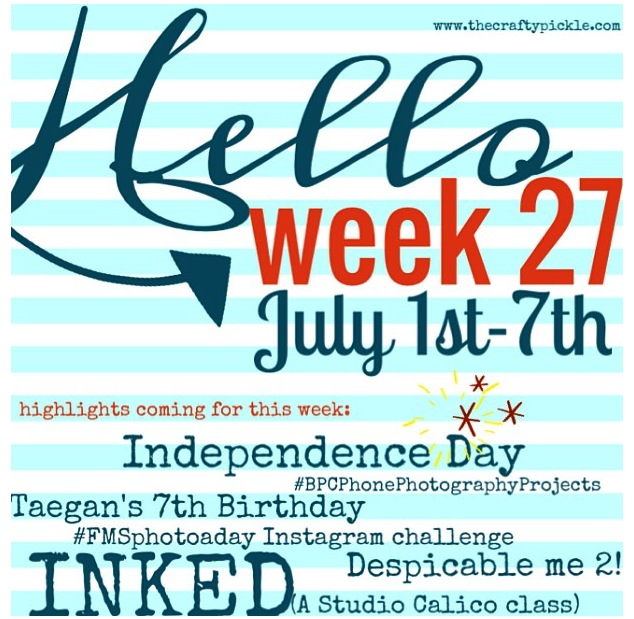
The one other thing that I do is create a marker within my photo album and instagram to show me when another week is starting. I am also listing upcoming highlights that I know will occur in the coming week. I made the weekly marker below using the app “a beautiful mess” which is one of my favorite apps. I have also used the app “Typic pro” quite a bit with other weekly markers. Here is my marker I created today for this coming week.

New week marker for PL on my iphone @thecraftypickle.com

I hope this inspires those of you that feel unorganized and behind. You can get caught up, you can stay current, and you can make the project life process even more simple!

Looking for more project life inspiration? As always, I am linking up with The Mom CreativeĀ who shares her album every week and links up with several other talented project lifers.

Project Life Tuesdays @TheMomCreative.com

Have a FANTASTIC photo-filled week!

Make-A-Card Monday: Stamping on Patterned paper.

Hi Friends!

Today for Make-A-Card Monday I am working with a technique used in the “Inked” class I am taking at Studio Calico. I am so excited for this class because I always love to learn new ways to use my ever-growing stamp collection.

Today the talented Nichole Magouirk shared how to effectively stamp on patterned paper. It reminded me of my old school scrapping paper-piecing days and I had so much fun with this. I can’t believe I haven’t thought about using stamping and patterned paper together like this before. It’s really very simple and I adore the results. Sort of like coloring with paper instead of markers, crayons, or paint.

For my own take on this challenge I chose a kite in the clouds stamp by Paper Smooches along with a sentiment from a Studio Calico kit stamp. This card is great for someone who needs a little encouragement. Could also be great as a graduation or promotion card.

Stamping on Patterned paper @thecraftypickle.com

For my patterned paper I used scraps of the seen and noted collection by Pebbles. I love the bright colors Ā with the primary aqua and red focus colors. The card came together quickly (about 30 minutes total). This particular stamp fits inside a 3×4 project life card perfectly as well so I am thinking of repeating the same stamp with patterned papers I use in my Project life spread Ā for a great filler card.

I hope your week is off to a great start!

Happy Crafting!
Taniesa

Traditional Thursday: Layouts featuring Pebbles, Crate Paper, and American Crafts.

Today I thought I would share a few scrapbook pages that I have been working on. It’s been nice working on my project life album, but sometimes I want to do traditional layouts as well. So I picked up a few of my favorite lines from Pebbles, Crate Paper, and American crafts and decided to dive in!

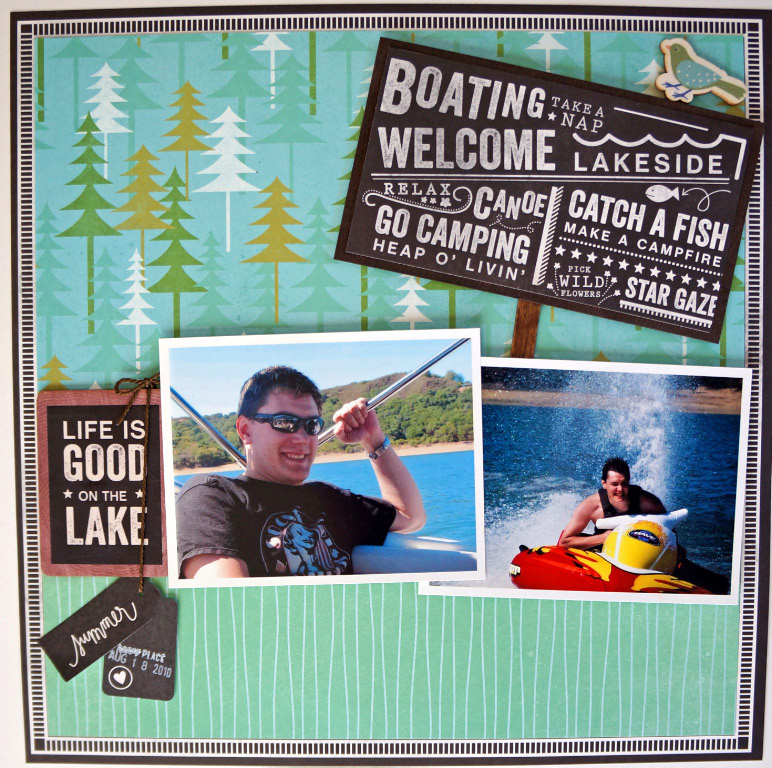
First, I adore the Pebbles Lakeside line! It was so perfect for some photos that I had that I just couldn’t find the right look for and had set them aside.

This is a simple layout I did with all LakesideĀ papers and embellishments:

Working Lakeside with Pebbles @thecraftypickle.comWorking Lakeside with Pebbles @thecraftypickle.com

I cut a portion of the chalkboard 12×12 paper to use as a sign embellishment and attached it to some wood grain cardstock. I then added a few pop dots for added dimension along with a small popsicle stick I rubbed on a dark brown ink pad. The wooden sign, tags, and little bird are all embellishments from the same Lakeside line by Pebbles.

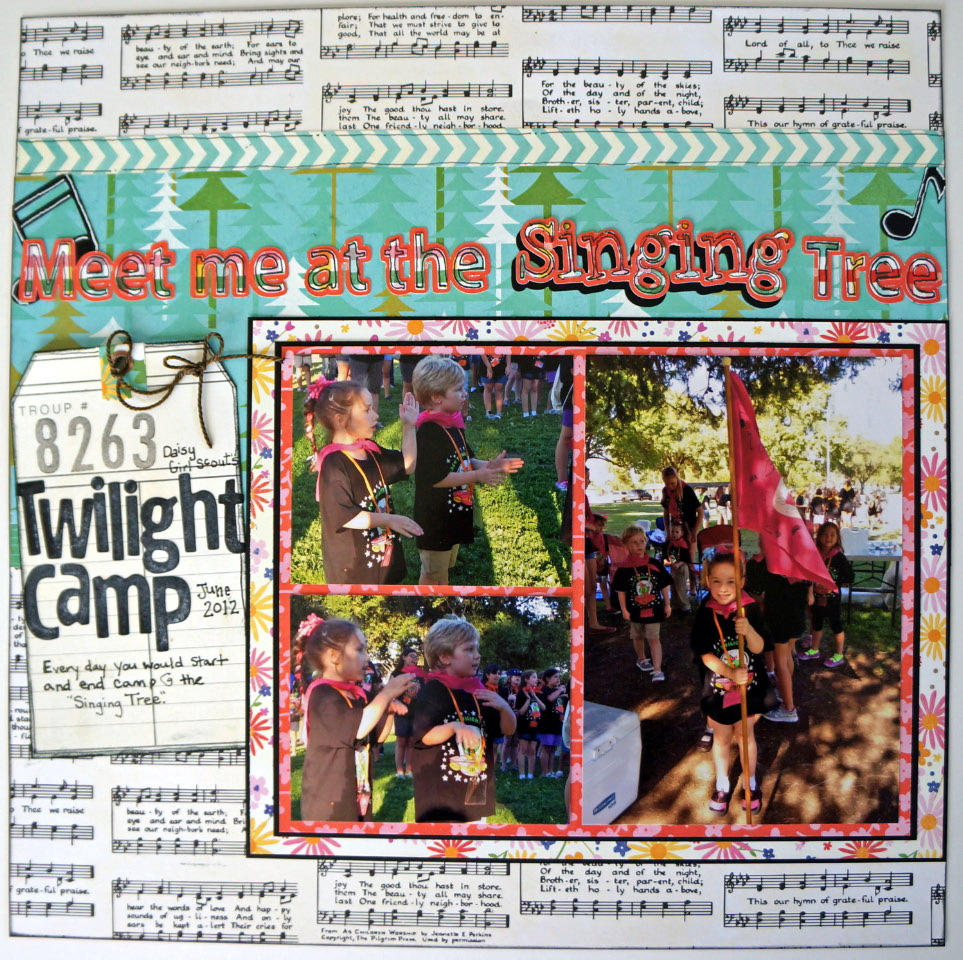
For a different look on this next layout, I used the same Lakeside line but pulled more of the floral papers and the sheet music paper as a background. It was the sheet music paper in this line that inspired me to create this layout in the first place. It worked perfectly for a girl scout camping photo of my daughter at the “singing tree”. I really wanted to pop the floral patterns in the paper so I matted each on black cardstock. The title was done on the silhouette as well as the music notes. To get the outline effect of the title as well as the shadow piece on “singing” I used the offset option in the silhouette software.

Working Lakeside with Pebbles @thecraftypickle.com

Those chalkboard alpha stickers… yep, amazing! I rubbed regular white chalk on them and erased to give them a more used chalkboard look. I am in love with these alpha stickers and I know I will be using them again on some school related pages soon!

Working Lakeside with Pebbles @thecraftypickle.com

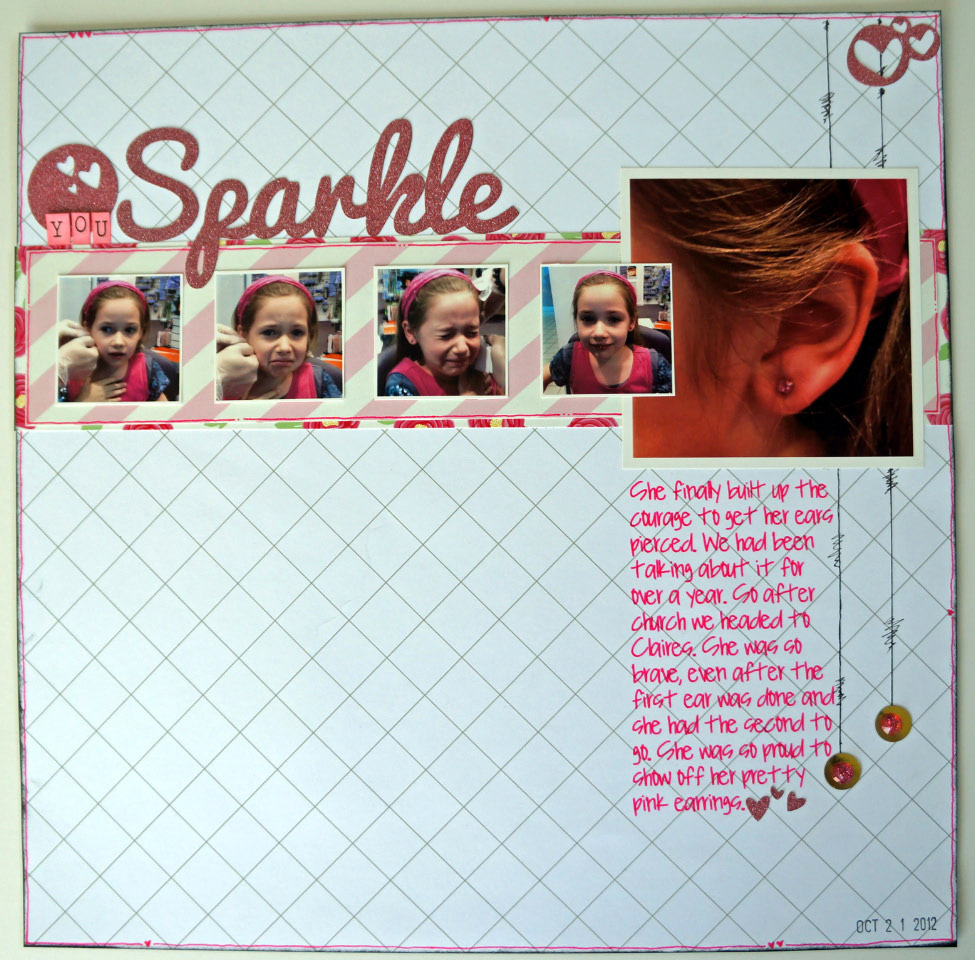
Next my little girl really wanted me to put her ear-piercing experience in her album (she was scared at the time but now loves to show off her *bling* and loves looking at these photos.) I created another simple quick layout using some American Crafts Mayberry papers and some American Crafts POW glitter paper.

Ear Piercing Experiance @thecraftypickle.com

If you haven’t worked with the POW Glitter Paper yet its amazing in the silhouette. It cuts so crisp and smooth and the glitter doesn’t come off the paper like some other glitter papers. I love making sparkly die cuts!

Ear Piercing Experiance @thecraftypickle.com

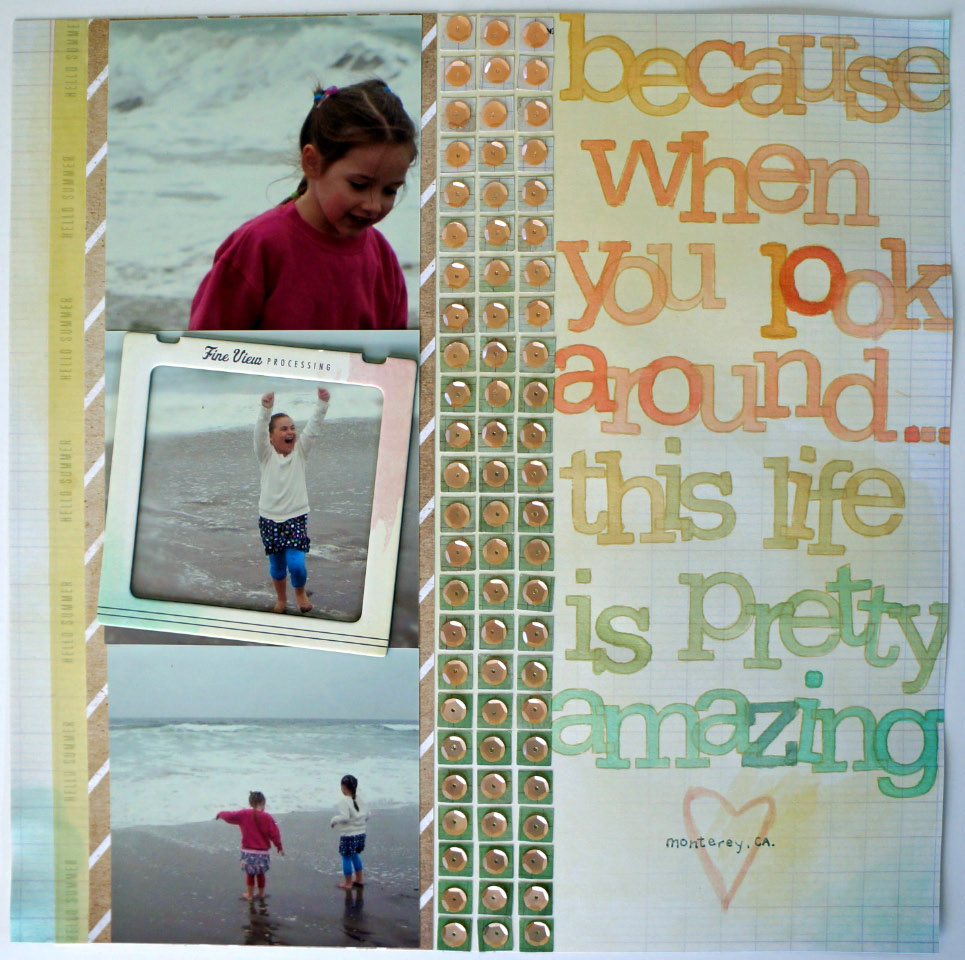
Finally, this last layout has to be one of my favorites, mostly because of the photos of these two precious little girls. I decided to pull papers from the beautiful new ThePier collection by Crate Paper. I love the soft tones in the papers and embellishments offered in this collection. I wanted to keep the colors soft as to not overpower the photos which I really want to be center focus.

ThePier @thecraftypickle.com

The washi tape strip on the left was cut from a 12×12 washi paper sheet. I also used one of the slide frames from the collection to draw the eye to the center photo (isn’t her expression priceless?) The little green squares were all punched out using a 6×6 piece of ombre paper from ThePier 6×6 paper pad that I had and I attached peach matte sequins to the squares using a clear liquid adhesive. The sequins reminded me of seashells šŸ™‚

ThePier @thecraftypickle.com

I was stuck for a while after working on the sequins portion and then last night at 2am I remembered a layout that I saw from April Foster that used the amazing Noah alpha stamps and the watercolor effect she used.(Yes I wake up in the middle of the night and think about scrapbooking, don’t you?) I shortened the popular quote by a couple of words to make sure it all would fit and I painted in the letters using three different colors of Mister Huey’s (Cameo, Shell, and Dewey) I mixed in a little bit of the shell color with the other two colors to give each letter color variation. I was really happy with how it came out.

I hope you enjoyed my Traditional Thursday layout share. Definitely click around on the links provided to check out these amazing collections!

Happy Crafting!3

Project Life Tuesday: Week 20…. wow, seriously!?!? Week 20!!!!!

Hi Project Lifers!

I seriously cannot believe how fast this year is going by! I just completed week 20 and went back flipping through the entire album so far. I was just amazed at how it seemed like I just started my album. It really is a treasure having something simple like Project Life that helps you slow down and really treasure the everyday because otherwise we might miss some pretty important moments and memories in all our busy-ness. Maybe you are new to the Project Life concept. If so I recommend you go HERE to Becky Higgins website, Creator of the Project Life system.

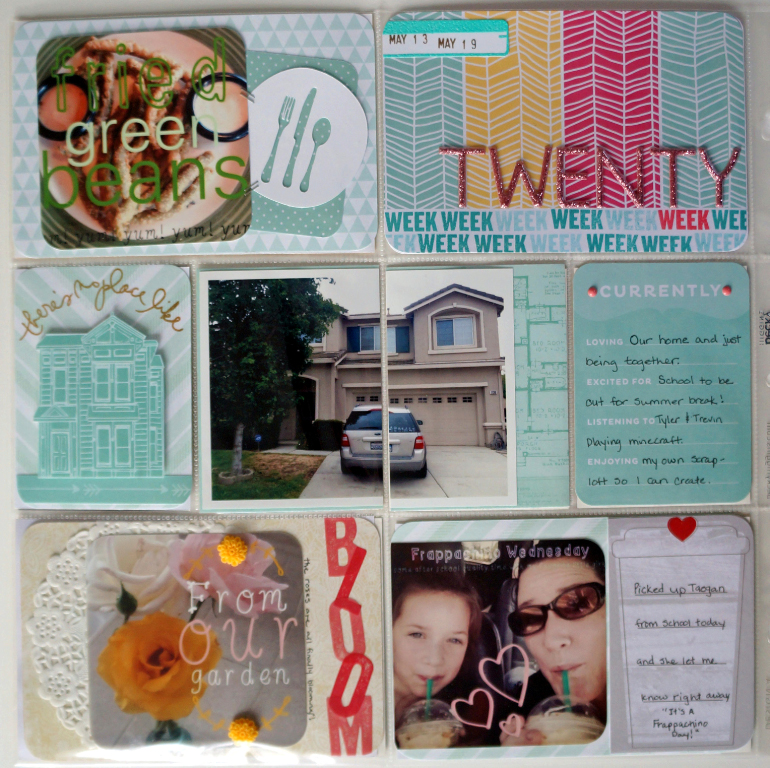
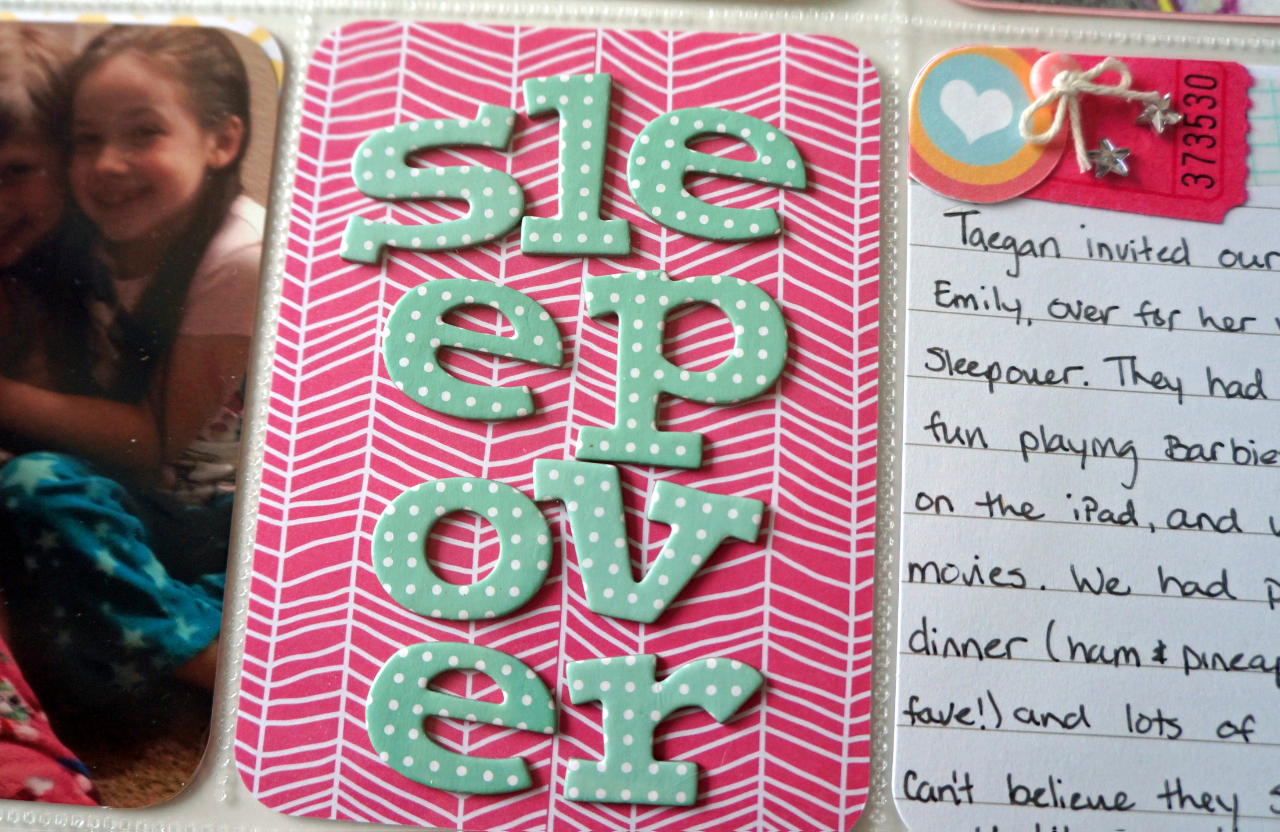
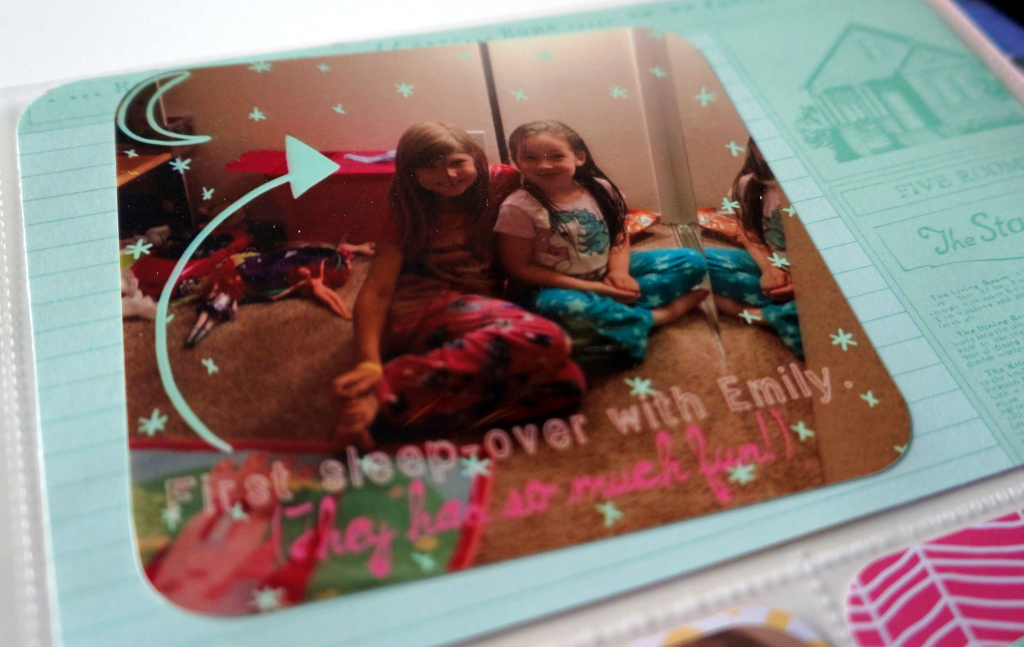
This was a calm at home week for us. The biggest excitement was that my 6-year-old little girl was allowed to have her first sleepover. Our sweet neighbor came over and I got to experience giggly girls who were up wayyyy too late LOL.

Project Life: Week 20 @thecraftypickle.com

This week I largely used a combination of Becky Higgins Blush core kit and Dear Lizzy: Fifth and Frolic. Both matched up perfectly to one another and went along with the overall theme of the week.

Project Life: Week 20 @thecraftypickle.com

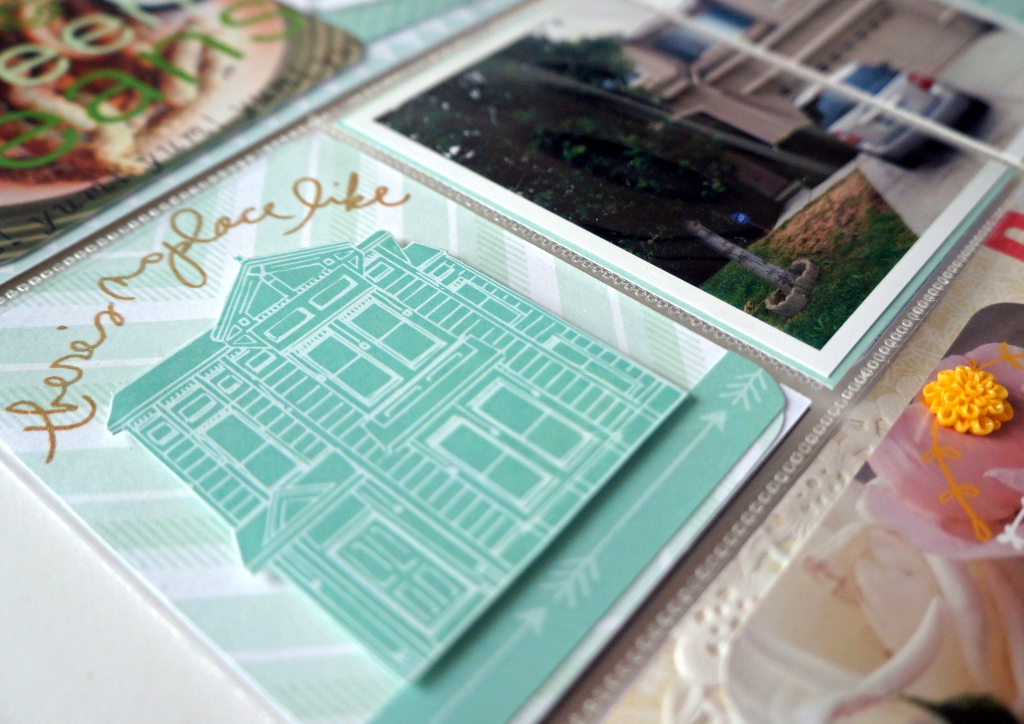
The left side focuses mostly on our week. A few random things including a photo of our home that I have been trying to find a spot for in the album. Beings that I didn’t take a lot of photos this particular week it fit perfectly. I fell in love with the Dear Lizzy line and was so pleased that it seemed to be made to match with the Blush core kit.

Project Life: Week 20 @thecraftypickle.com

The little house was fussy-cut out of a 12×12 sheet of the Dear Lizzy paper and the arrows were apart of the tear strip. The background “card” behind the house was another sheet of paper from the same collection. I stamped a sentiment from the Technique Tuesday : AE Studio “Memories of Home” set. It was straight but I curved it on my stamping block to fit on the card insert.

Project Life: Week 20 @thecraftypickle.com

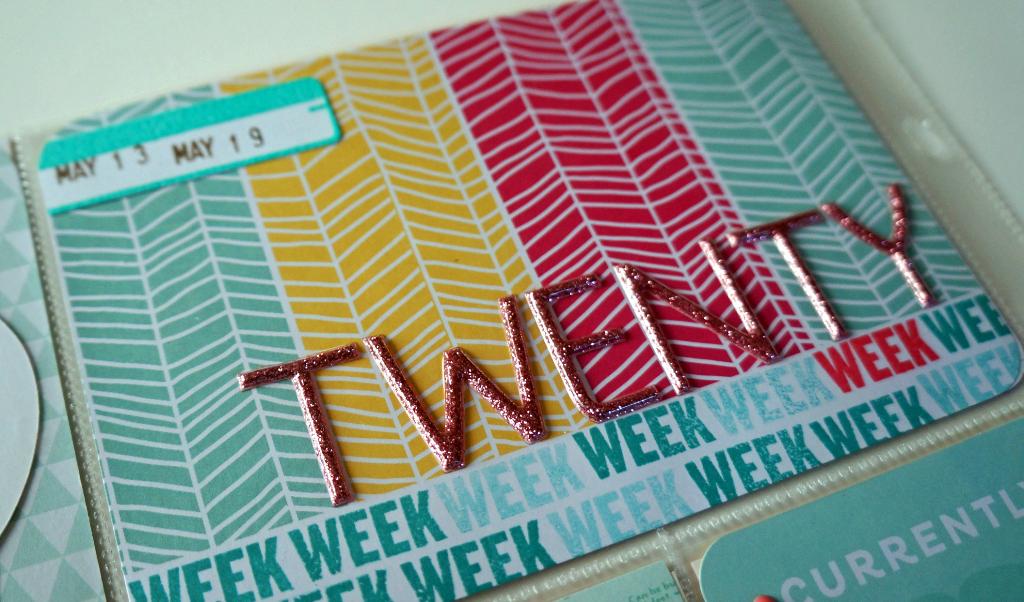
For the title card I used a card from the Blush kit and stamped “week” several times along the bottom in two different ink colors. The lighter seafoam color was just a second stamping of the darker ink without re-inking. The beautiful glitter thickers are also from Dear Lizzy but from the Neapolitan line, Can you tell how much I *LOVE* her designs and colors? The little file tab was stamped and heat embossed with Aqua ZING embossing powder.

Project Life: Week 20 @thecraftypickle.com

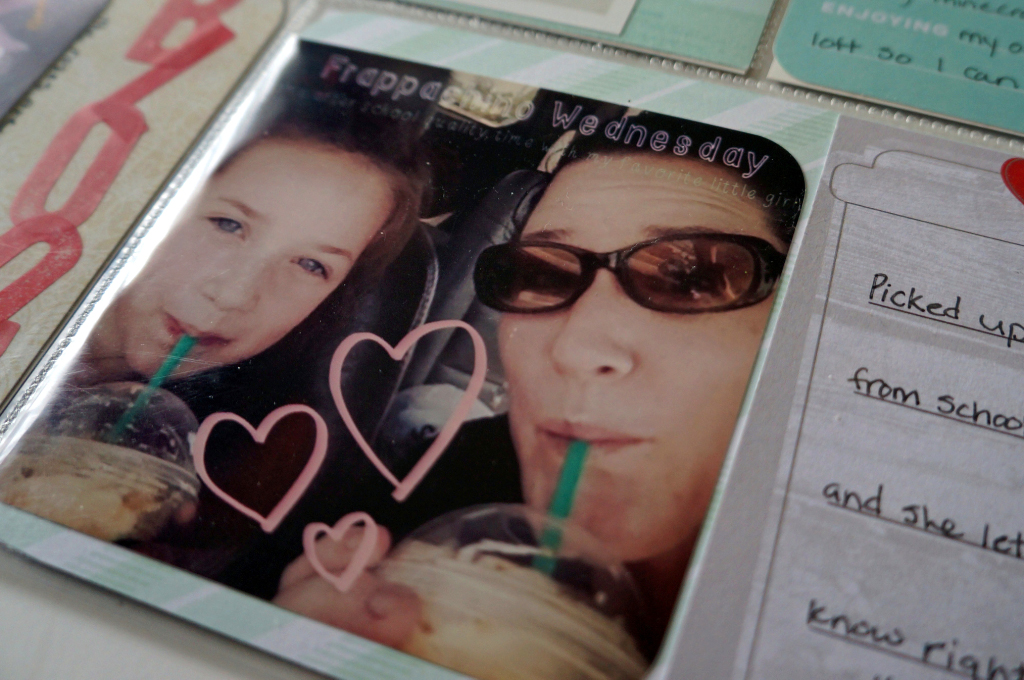
A few of the photos this week were edited using the “A Beautiful Mess” app. If you haven’t checked it out its amazing! I definitely recommend purchasing the app and the add-on designs. So much fun! The coffee cup card is from the Studio Calico Project Life monthly kit.

Project Life Week 20 @thecraftypickle.com

The right side was all about the sleepover. Aren’t those seafoam polkadot thickers adorable?

Project Life: Week 20 @thecraftypickle.com

Perfect color and perfect font. I had been hoarding these cuties for a while, So happy I had the perfect opportunity to use them.

Project Life: Week 20 @thecraftypickle.com

Again, some more editing using the “A Beautiful Mess” app and more of the Dear Lizzy paper (same sheet of paper called Bowtie Boulevard.)

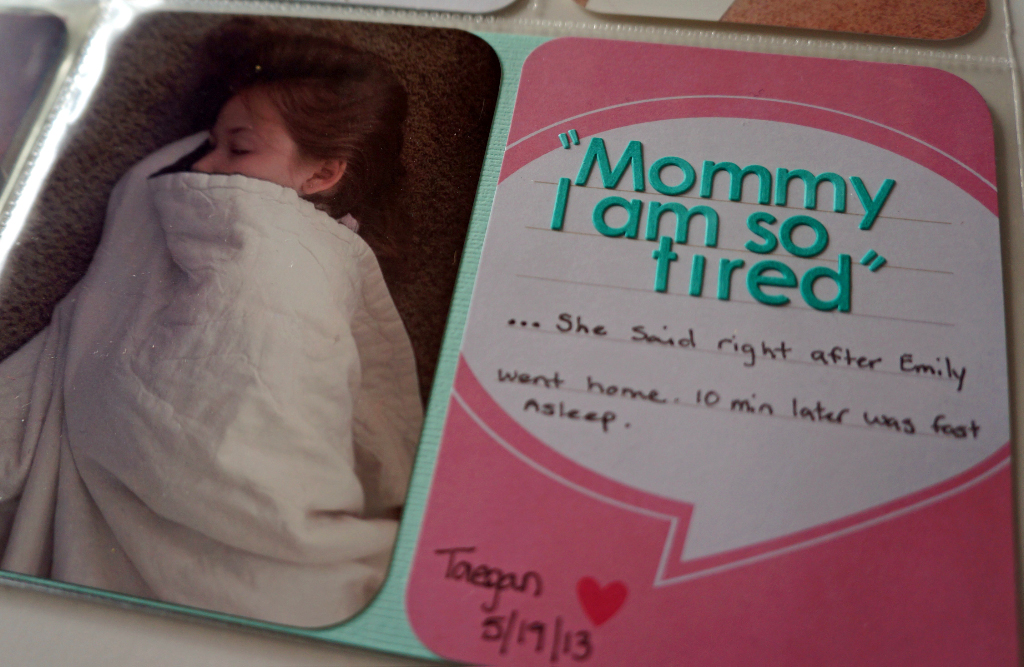
Project Life: Week 20 @thecraftypickle.comAnd finally a fun speech bubble to highlight the final words to wrap up my daughters sleepover experience. She was out like a light until lunchtime!

Hopefully you all have a special place in your album to document your home along with all that happens in it. I am grateful for my home where we create meaningful everyday memories, where we come together as a family.

Looking for more project life inspiration? As always, I am linking up with The Mom Creative who shares her album every week and links up with several other talented project lifers.

Project Life Tuesdays @TheMomCreative.com

I hope you all have a wonderful week! Don’t forget to snap photos of those little moments along the way!

Happy Crafting!